
Another app is controlling your conversations
If you recently switched to LinktoDM from another tool like ManyChat, or any other Instagram/Facebook messaging app, you may see an error like "the action is invalid since it's not the thread owner" when trying to send a reply. This guide explains what's happening and how to fix it.
Why this happens
Instagram and Facebook only allow one app at a time to send messages on a given conversation. This is part of Meta's Handover Protocol (also called Conversation Routing). When you previously connected another app like ManyChat, that app became the "thread owner" for your conversations. Until that other app is disconnected, LinktoDM is held in standby and cannot send replies — even though the connection itself is healthy.
Important: remove the other app from both Facebook and Instagram
It does not matter whether you signed in to LinktoDM with Instagram Login or with a Facebook Page. Apps like ManyChat are usually connected on both sides — your Meta Business portfolio and your Instagram account. Removing it from only one place is not enough; the other side will keep claiming thread ownership and the error will come back. Please complete both sets of steps below.
Step 1 — Remove the app from Meta Business Suite (Facebook side)
- Open Meta Business Suite → Settings and select your business portfolio at the top.
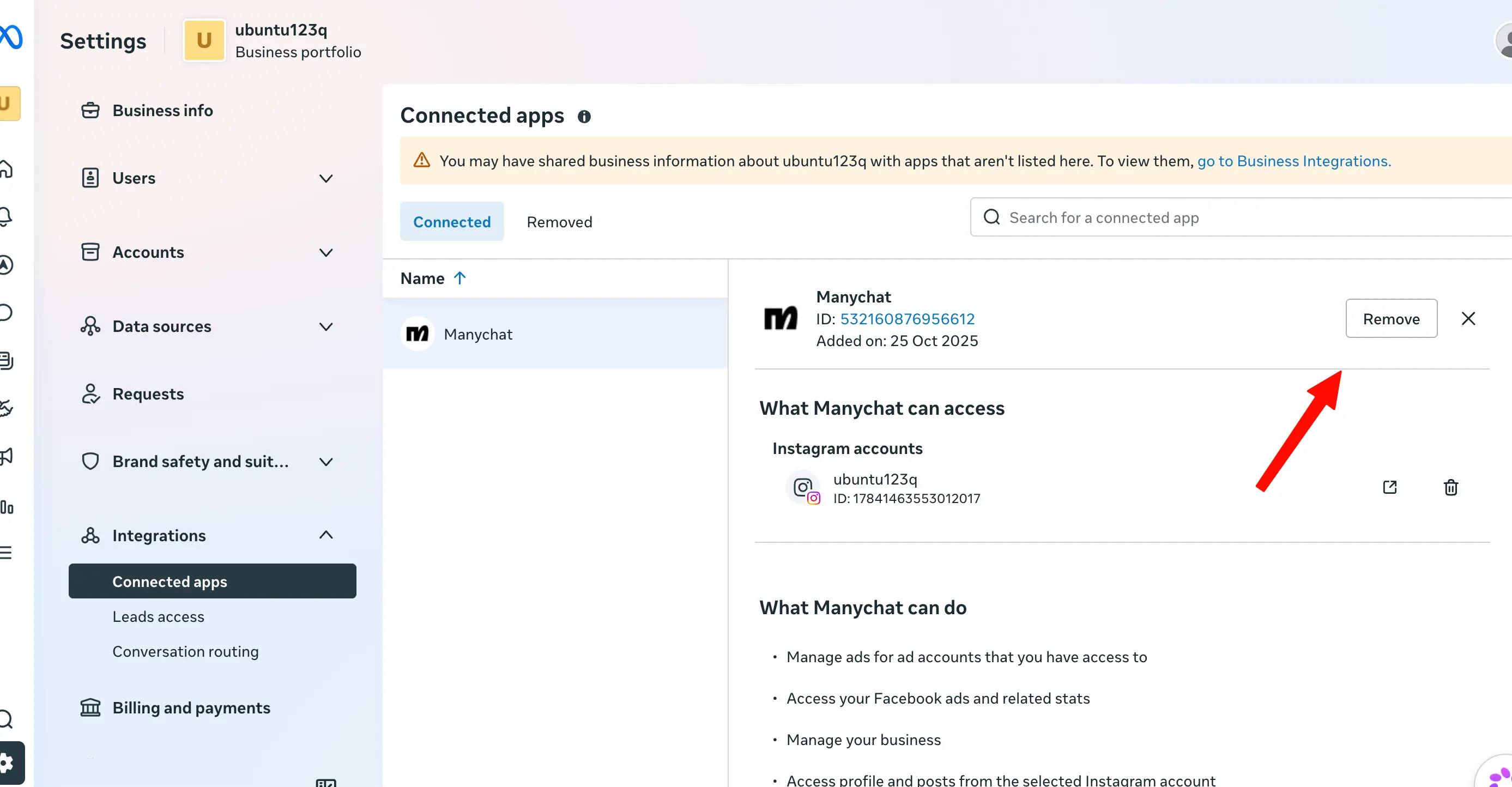
- In the left sidebar, expand Integrations and click Connected apps.
- Click the other app (for example Manychat) in the Connected tab, then click the Remove button on the top-right of the panel.
- Confirm the removal when Meta asks. The app will move from Connected to the Removed tab.
Step 2 — Remove the app from Instagram
- On a desktop browser, log in to the same Instagram account you connected to LinktoDM and open Instagram → Apps and Websites.
- Switch to the Active tab and find the other app in the list.
- Click Remove next to it and confirm. The app will move to the Expired or Removed list.
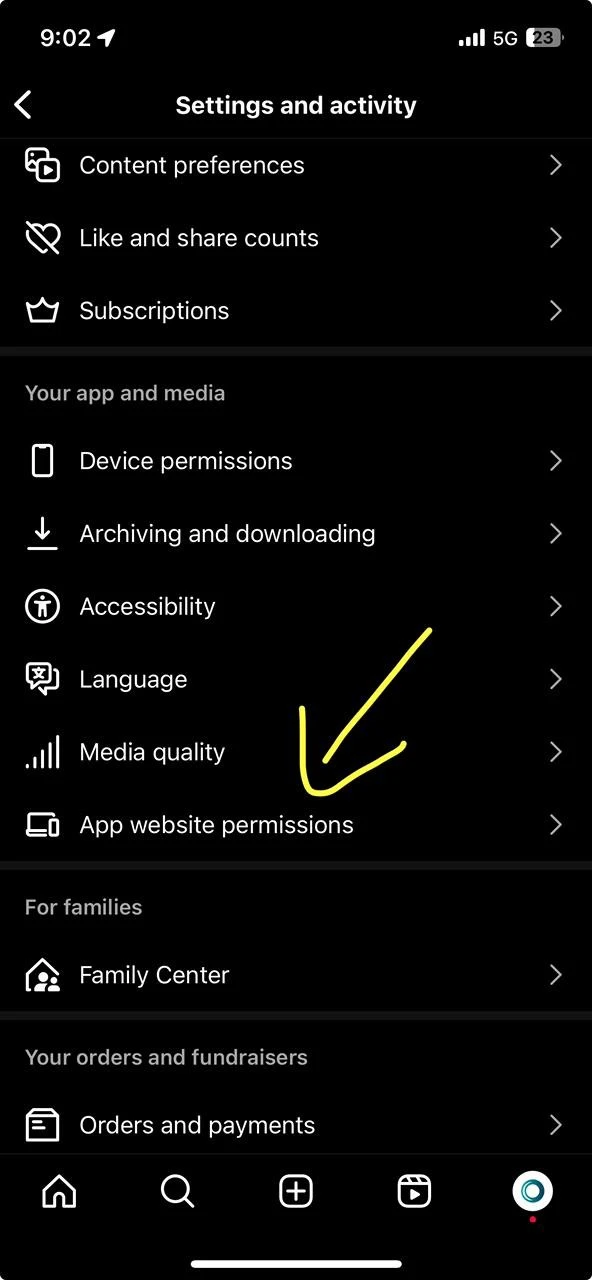
- On the Instagram mobile app, you can do the same from Settings and privacy → Website permissions → Apps and websites.
Step 3 — Wait a few minutes, then verify
- Wait 2–3 minutes after removing the app from both places. Meta needs time to release thread ownership across all your existing conversations.
- Refresh your LinktoDM dashboard. The amber warning banner should disappear automatically.
- Send a test reply to an existing conversation from your Inbox — it should succeed without an error toast.
- Automations (comment-to-DM, story replies, etc.) should resume sending messages on new conversations.
Still seeing the error?
A few older conversations may stay assigned to the previous app even after you remove it. Ask the other person to send you a new message — Meta will reassign that thread to LinktoDM automatically. If the warning persists for more than 10 minutes after removing the other app from both Facebook and Instagram, please contact our support team with screenshots of your Meta Business → Connected apps page and your Instagram Apps and Websites page so we can help.