
You know exactly what your Instagram DMs should do.
Someone comments "GUIDE". They get a friendly hello, a quick question about what they're working on, the right freebie for their answer, and a polite ask for their email. Three days later, a nudge about your course.
You've had that plan in your head for months. And your DMs still send one message with one link, because every time you open a flow builder, it looks like this:
A blank canvas.
A sidebar full of nodes.
Arrows you have to drag from one tiny dot to another.
A Sunday afternoon you don't have.
So the chatbot you planned never gets built, and every DM conversation ends after the first reply.
What if building it took one sentence?
Why Most Instagram DM Chatbots Never Get Built
It's not because creators don't see the value. A DM funnel that qualifies people, collects emails and follows up will beat a single link nearly every time. Everyone who's watched a "comment LINK" reel go viral and then gone nowhere knows it.
It's that the tools ask you to think like a developer. You have to know what a trigger is, what a condition does, where a delay goes, and how to wire a "Yes" button to one branch and a "No" button to another. Get one arrow wrong and half your followers get nothing back.
So most people stop at the simplest version: comment to DM, one message, done. It works. But it leaves the leads, the sales and the follow-ups on the table.
Meet Flow Assistant: Describe It, and It Builds It
LinktoDM's Flow Assistant is an AI chatbot builder that lives inside the flow builder. You tell it what you want in plain English, the way you'd explain it to a friend. It builds the whole flow on the canvas while you watch — no dragging nodes around an Instagram DM automation flow diagram.
Type this:
"When someone comments GUIDE on my reel, send them a hello, ask for their email, tag them as a lead, then send the PDF download link."
A few seconds later, you have a working Instagram DM chatbot: the comment trigger, the welcome message, the email capture step, the tag and the link. Every arrow is connected.
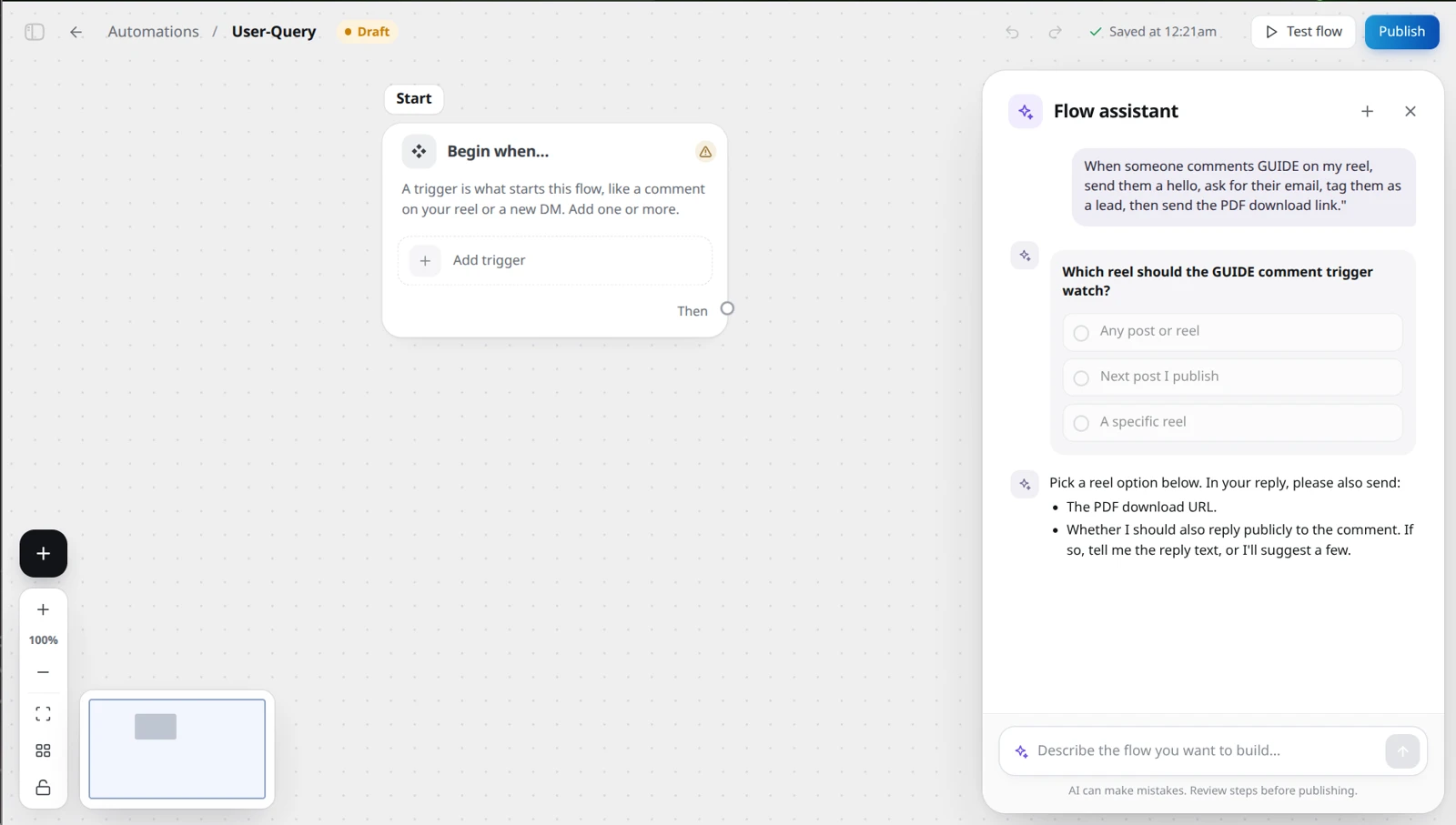
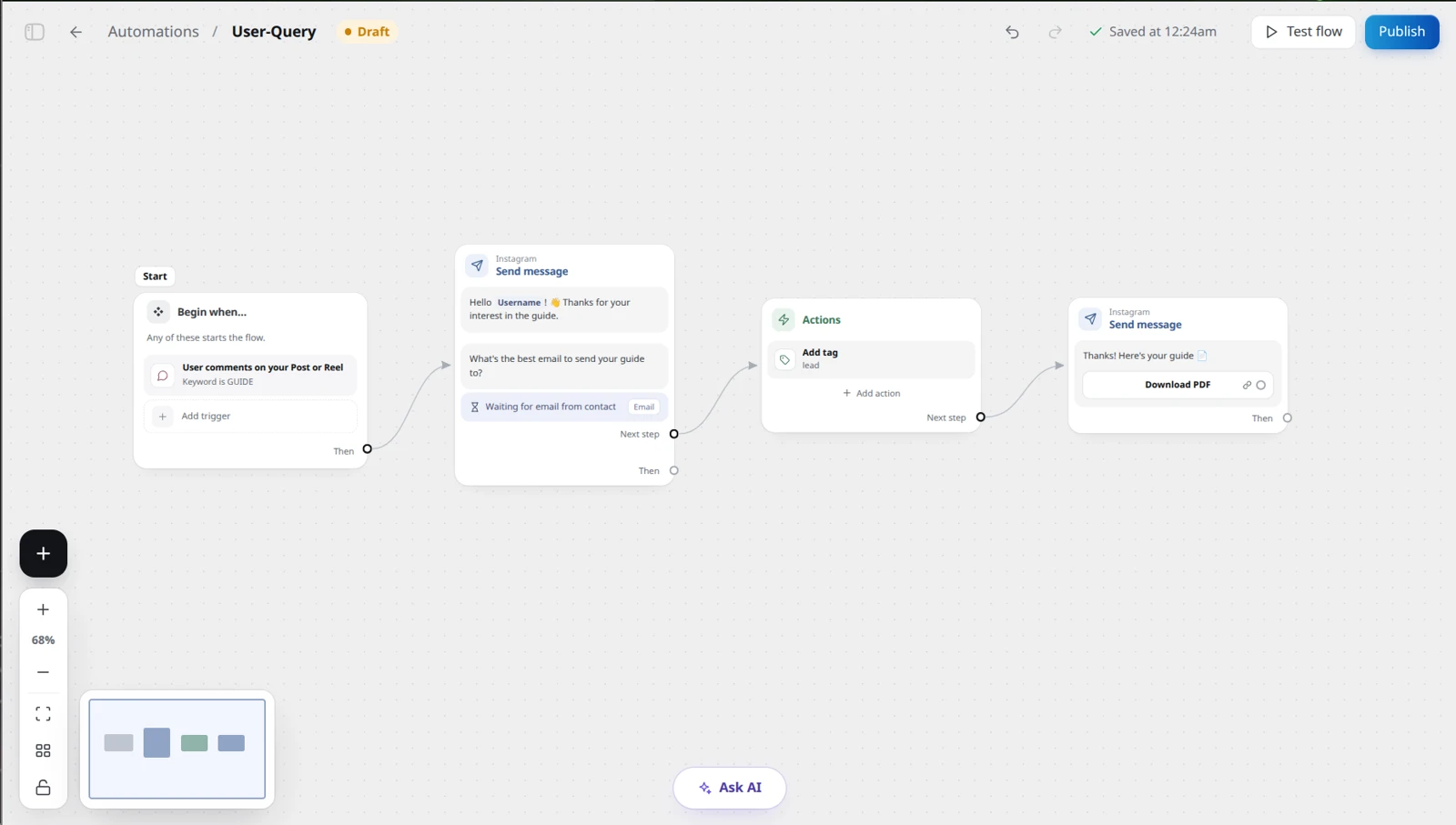 One sentence in, a complete lead magnet flow out.
And it's not a black box. What it builds is an ordinary LinktoDM flow. Every message, button and step is one you could have added yourself, and you can edit any of it.
It Asks Before It Guesses
This is the part that surprised me most when I tested it.
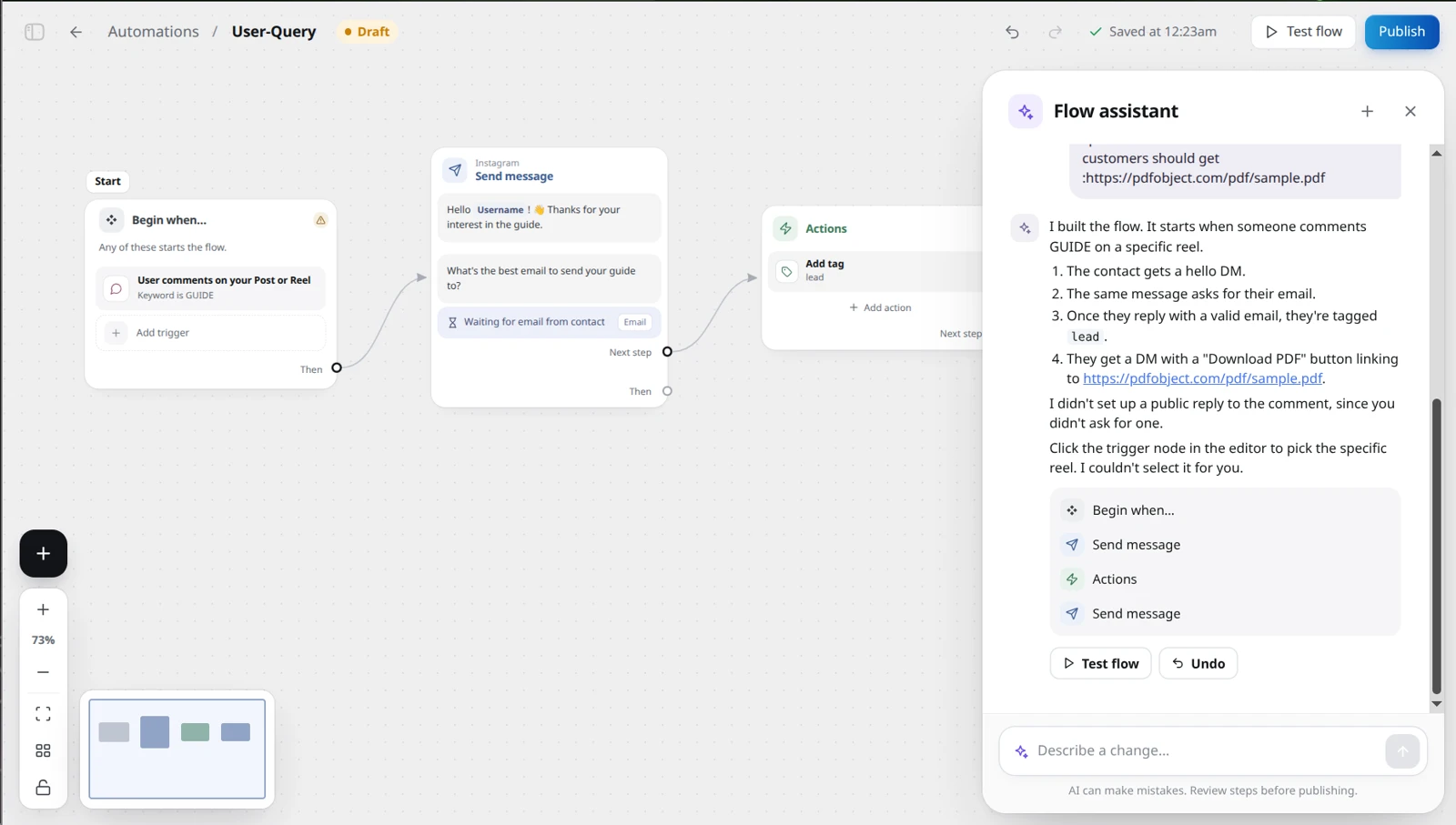
Most AI tools fill in the blanks with whatever they think you meant. Flow Assistant doesn't. If you leave out something important, it asks. Which post should trigger this? Should it fire on comments, story replies or DMs? You tick an answer and it carries on.
It also knows Instagram's rules. Ask for 12 buttons on one message and it won't quietly build something Instagram will reject. It tells you the limit (3 buttons per message, 20 characters per label) and offers ways around it, like a carousel or a two-level menu.
What You Can Build by Just Describing It
Here's where it gets fun. These are all flows you'd normally spend an afternoon wiring. With Flow Assistant, each one starts as a single prompt.
1. A lead magnet that builds your email list
"When someone comments FREEBIE, ask for their email, then send them my free checklist."
Every viral reel now grows a list you own, not just a follower count. (Want the follower too? Add follow to get the link.)
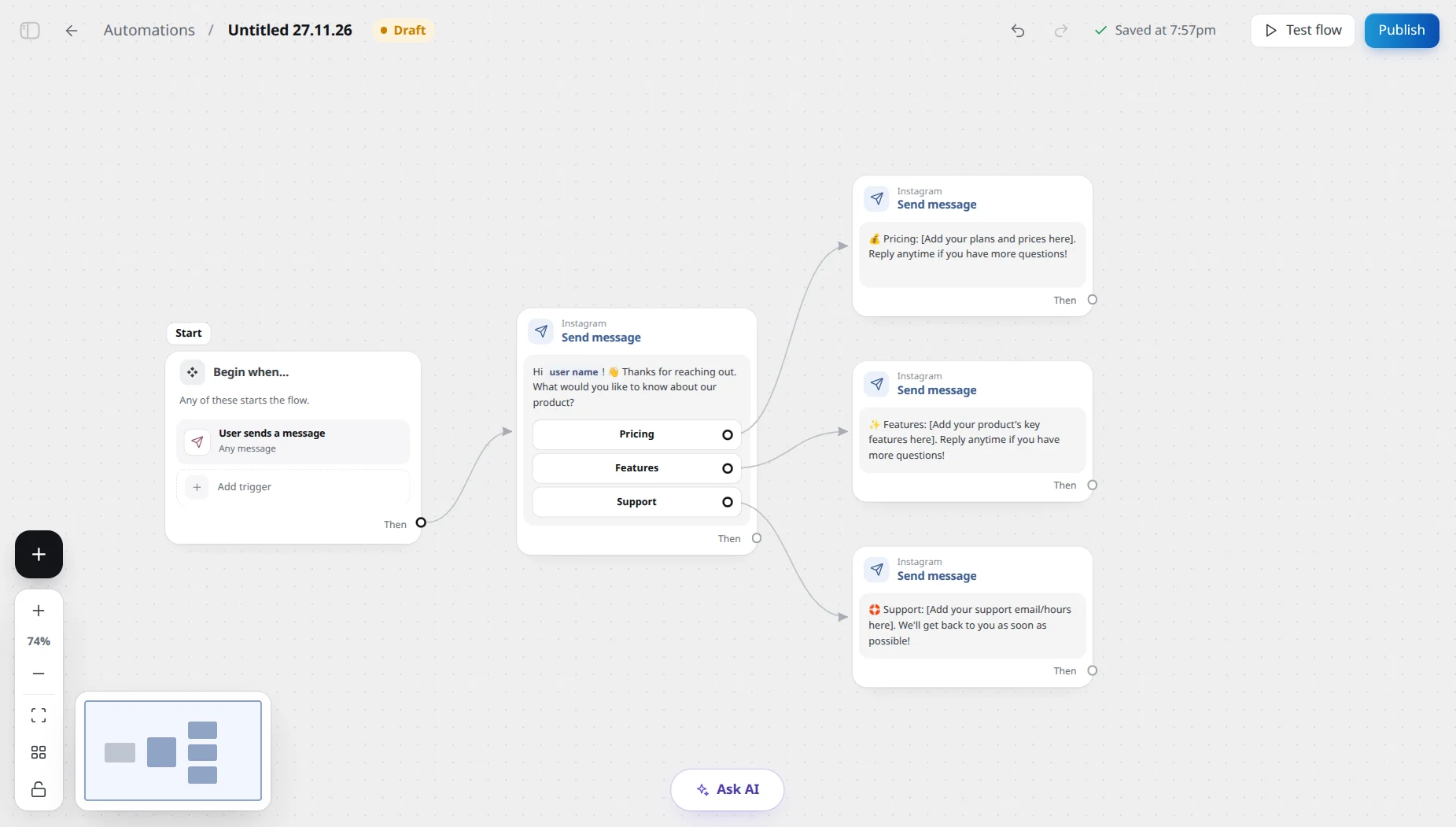
2. A menu chatbot for your DMs
"When someone DMs me 'hi', reply with three buttons: Pricing, Book a call, Support. Send the right answer for each."
Your inbox handles the same questions you've answered 400 times. You step in only when a real conversation starts.
3. A chatbot that sells
"When someone comments ENROLL, send the course details with an Enroll button, collect a ₹499 payment, and send the access link once they've paid."
The assistant adds the payment step. You connect your payment gateway, and people pay without ever leaving the DM.
4. A booking flow for coaches and service businesses
"When someone comments CALL, ask what they need help with, then send my booking link. If they don't click within a day, follow up once."
5. An A/B test of your own DMs
"When someone comments PLAN, randomly send half of them message A and half message B."
It adds a randomizer so you can see which wording actually gets clicks, instead of guessing.
How to Build Your First DM Chatbot With AI
The whole thing takes about five minutes.
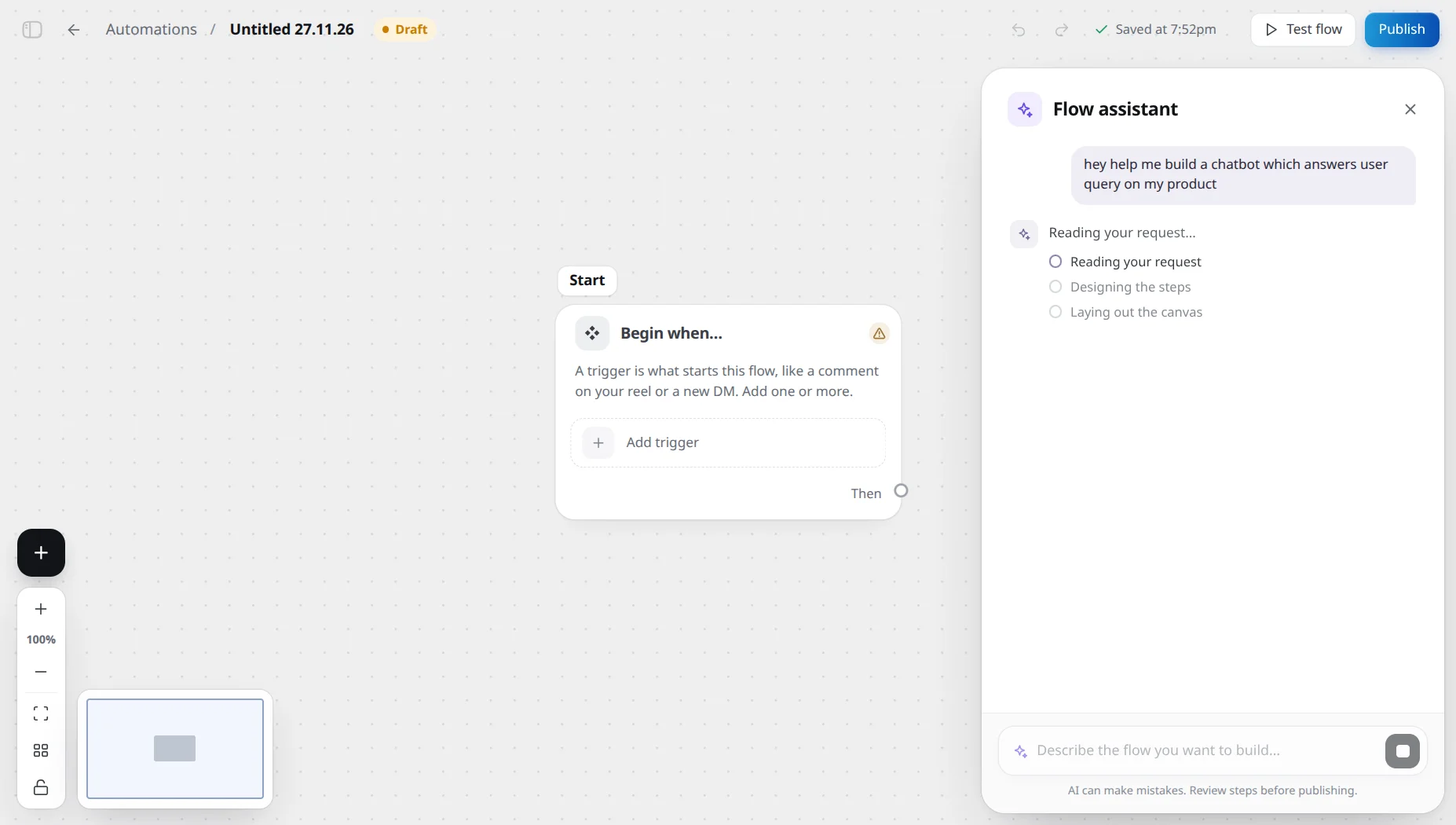
- In the LinktoDM console, open Flow builder and create a new automation with the AI assisted flow builder. You can also use the Describe the flow you want to build… bar at the bottom of any flow.
- Describe what you want. Be specific about the keyword, what to send and what to collect.
- Answer anything the assistant asks, such as which trigger or which post.
- Watch it build. Then click through each step and add your real links, files and wording.
- Test it from a second Instagram account, and publish.
Want to change something? Just ask. "Add a one-day delay before the follow-up" or "change the button to Get my guide" works. You can also edit the canvas by hand, like any other flow. For every setting, see the AI Flow Builder docs.
The Hidden Bonus: You Finally Understand Flows
Here's something nobody tells you about AI flow builders. They're the fastest way to learn how flows work.
Reading about "triggers, conditions and actions" is abstract. Watching your own idea turn into those pieces, one at a time, makes it click. You describe "if they don't reply, follow up tomorrow" and see it become a delay and a condition. You describe "tag them as a lead" and see it become an action.
After two or three flows, you'll open the canvas and know what every piece does. That's when you start tweaking flows yourself, and building ideas the assistant never thought of. If you want the basics first, start with the wiring basics.
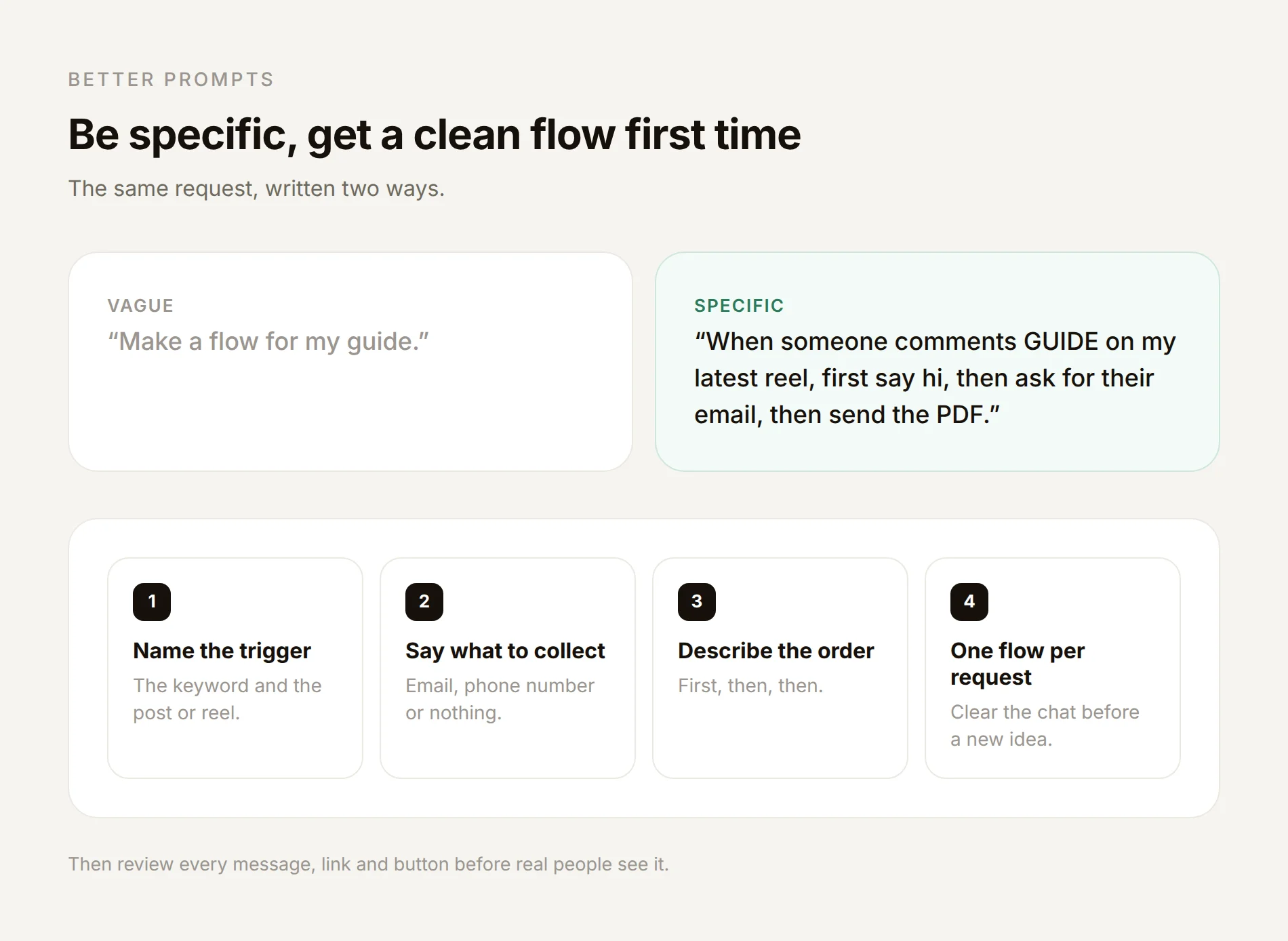
Tips for Better Prompts
- Name the trigger. "When someone comments GUIDE on my latest reel" beats "for my guide".
- Say what to collect. Email, phone number or nothing. Don't make the assistant guess.
- Describe the order. "First say hi, then ask, then send" gives you a clean flow on the first try.
- One flow per request. Use Clear conversation before starting something unrelated, so it isn't still building on your last idea.
- Always review before publishing. Treat the result as a very fast first draft. Check every message, link and button before real people see it.
Is an AI-Built Chatbot Safe for My Instagram Account?
Yes. Flow Assistant only builds the flow. Once you publish, it runs like every other LinktoDM automation, through Meta's official Instagram API. No passwords, no bots logging in as you, no grey-area tricks.
LinktoDM is an official Meta Business Partner, and more than 22,000 creators already automate their DMs with it.
Which Plan Do I Need?
Flow Assistant is included in the Pro and Pro+ plans, each with a monthly AI allowance that resets at the start of every month. Pro+ gets the bigger allowance, plus payments inside a flow for selling right in the DM.
On the Free plan you can still build flows by hand with the basic flow builder. See plans and pricing for the full breakdown.
Frequently Asked Questions
Can I build an Instagram DM chatbot without coding?
Does the AI reply to my followers in the DMs?
Can I edit a flow the AI built?
What kind of Instagram automations can the AI build?
Is it safe to use an AI chatbot builder on Instagram?
Is Flow Assistant free?
Best AI Tools for Instagram DM Automation in 2026: How Flow Assistant Compares
Most Instagram DM tools make you drag nodes around a canvas. Flow Assistant is different: you describe the flow in plain English and it builds the whole thing — trigger, messages, buttons, email capture, tags and follow-ups — in seconds. Here's how it stacks up against the typical drag-and-drop flow builder:
| Feature | Flow Assistant (LinktoDM) | Typical drag-and-drop builder |
|---|---|---|
| Build time for a lead magnet flow | ~1 minute (one sentence) | 30–60 minutes of wiring |
| Technical knowledge needed | None — plain English | Must understand triggers, conditions, delays |
| Asks before guessing | Yes — clarifies open details | N/A — you wire it yourself |
| Instagram rule enforcement | Built in (button limits, label length) | You discover limits at publish time |
| Editable after building | Yes — every node is a normal flow | Yes |
| Runs on | Meta's official Instagram API | Varies by tool |
Stop Planning Your DM Chatbot. Describe It.
That chatbot you've been planning for months? It's one sentence away.
Type what you want, answer a question or two, check the result and publish. Your next viral reel won't just send a link. It'll qualify, capture, follow up and sell, while you get on with your day.