
You already ask ChatGPT or Claude to write your captions, plan your content and tidy up your week.
But when you want to know whether any of it actually worked in your DMs, you still do this:
Open the dashboard.
Click into each automation.
Write the numbers down.
Paste them into the chat so the AI can tell you what they mean.
Your assistant is smart, but it can't see your account. So you end up doing its homework for it.
And if you run Instagram for clients, multiply that by every account, every week.
What if you could just ask?
What "Connecting Instagram to ChatGPT" Actually Means
ChatGPT and Claude can't log into Instagram for you, and you wouldn't want them to. What they can do is connect to the tools you already use, through an open standard called MCP (Model Context Protocol). Think of it as a secure plug: the assistant asks the app for what it needs, and the app answers with your real data.
LinktoDM has one of those plugs. Connect it once, and your assistant can:
- Read your automations: which ones exist and which are running
- Read your analytics: hits, clicks and click rates for each automation
- Read your contacts: who's interacted with you, and the emails or phone numbers you've collected
- Turn automations on or off
That's the whole list, and it's deliberately short. More on why below.
What You Can Ask
No special commands. Ask the way you'd ask a colleague who has access to your dashboard.
"How did my automations do?"
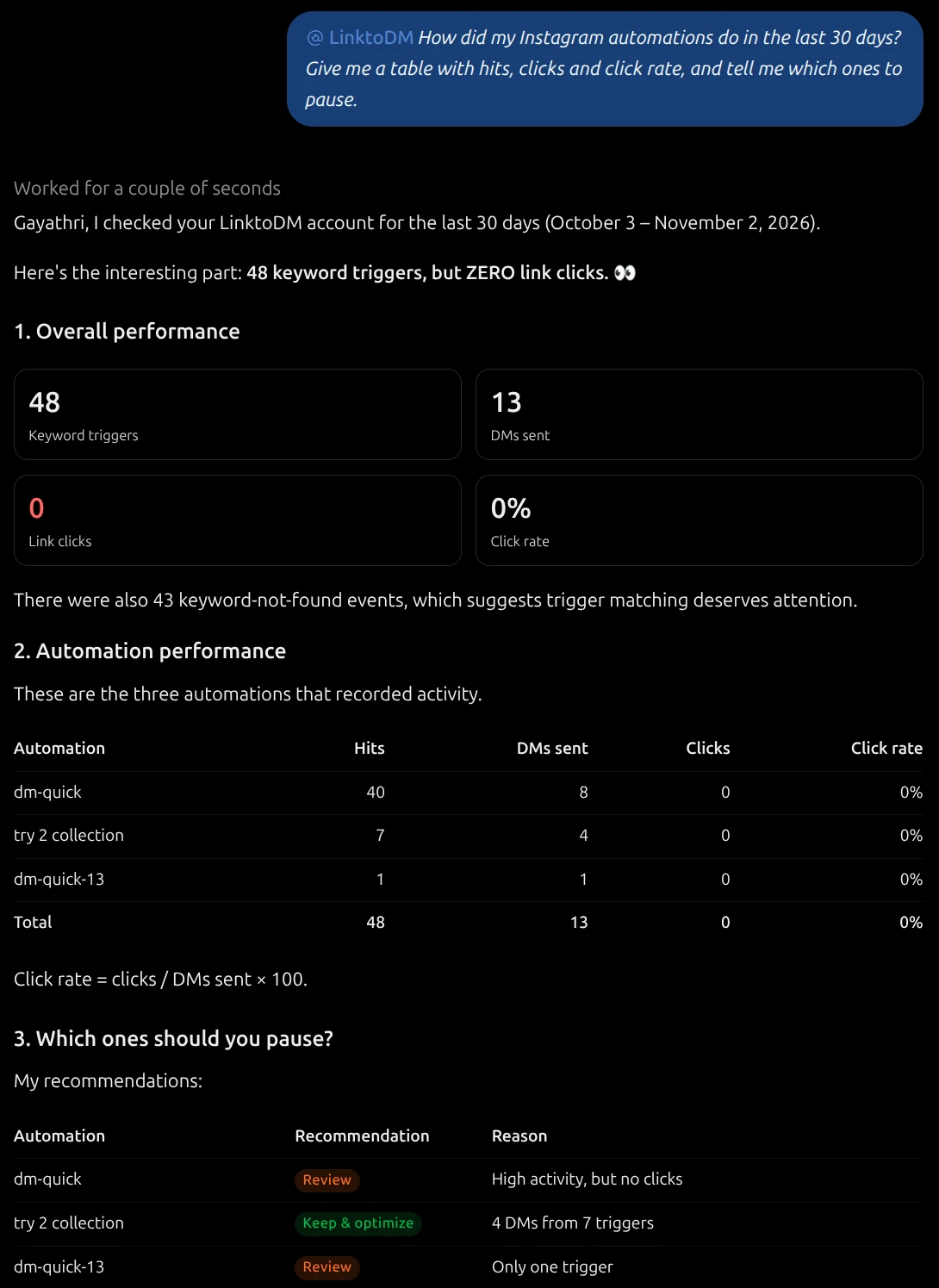
"How did my Instagram automations do in the last 30 days? Give me a table with hits, clicks and click rate, and tell me which ones to pause."
Here's what that looks like in ChatGPT, on a real test account:
"Did that reel bring in real leads?"
"How many new contacts shared their email this week? Show me the latest ones."
Likes tell you a post was seen. This tells you whether it turned into people you can actually follow up with.
"Turn that off."
"Pause the automation for my last reel."
Posted a reel with the wrong link in the DM? Stop it with one message instead of hunting for it in the dashboard. Just check which automation it's about to change before you confirm. "My last reel" is clear to you; make sure it's clear to the AI too.
"What should I do next?"
This is where an assistant beats a dashboard. A dashboard shows numbers. An assistant can think about them:
"Which of my keywords get the best click rate? What should my next comment-to-DM post use?"
"Write a short weekly report of my automation results that I can send to my client."
For agencies, that second one is the whole point. A client report that took twenty minutes of copying numbers becomes one question.
Connect It in a Minute
Setup is the same idea everywhere: add LinktoDM as a connector, paste one URL, and sign in.
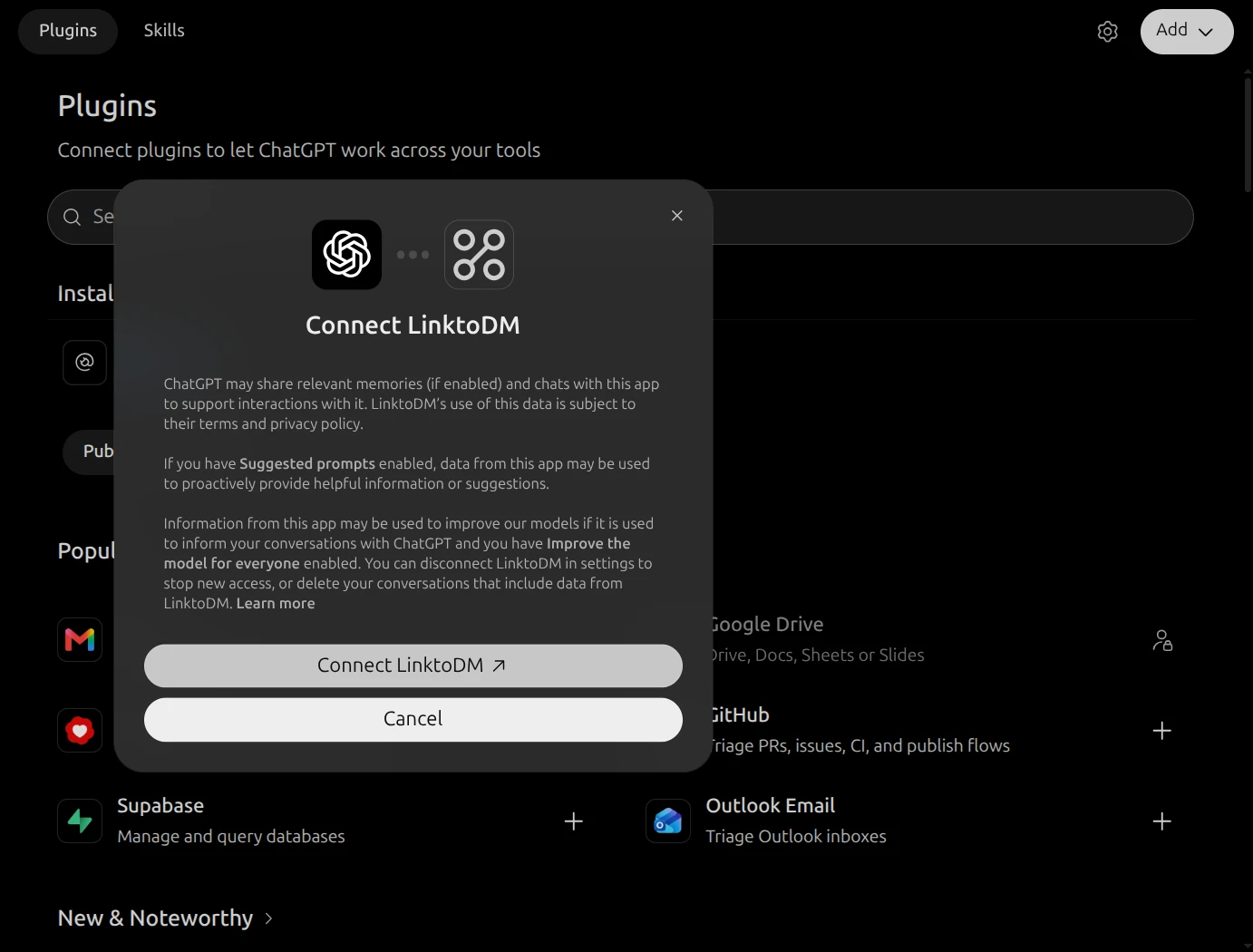
- In Claude, open Settings → Connectors → Add custom connector. In ChatGPT, open Plugins in the sidebar, then Add → Add custom MCP server.
- Name it LinktoDM, paste
https://api.linktodm.com/v1/mcp/and leave authentication on OAuth. - Click Connect, sign in to LinktoDM, and approve access. Then ask your first question in a new chat.
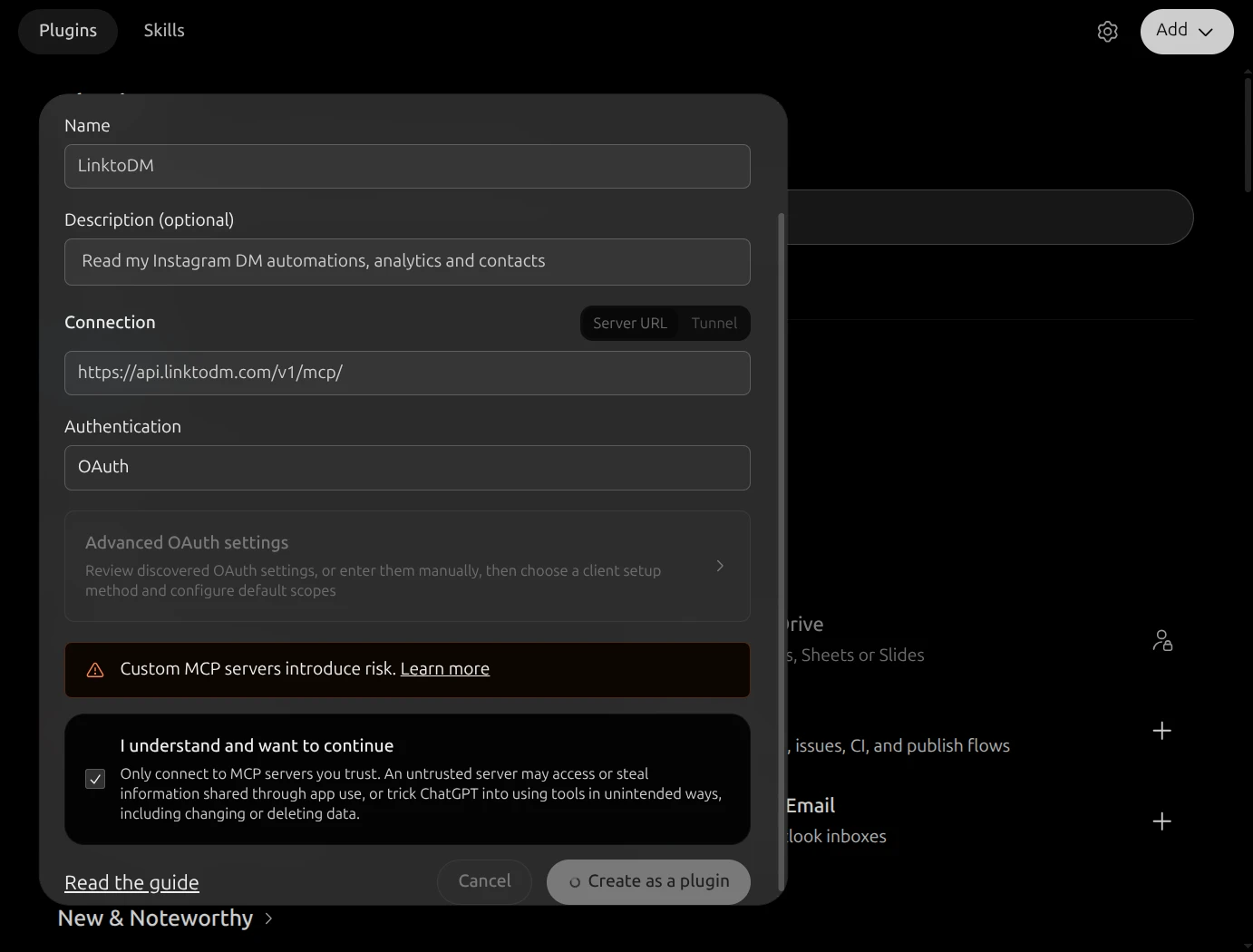
In ChatGPT, type @LinktoDM before your question to use it. Custom MCP servers need a paid ChatGPT plan (it works on Go). Developers can use the same URL in Cursor, VS Code and any assistant that supports remote MCP servers. Step-by-step guides for each tool:
"Is It Safe to Let an AI Into My Account?"
It's a fair thing to worry about. Here's how it works:
- No password sharing. You sign in on LinktoDM's own page. The AI never sees your password.
- No API keys to copy. It uses OAuth, the same "Sign in with…" approval you've used everywhere else.
- It sees only what you can see. Permissions follow your LinktoDM account.
- It can't message your followers. No sending DMs, no editing your messages. Your DMs are still sent only by the automations you built.
- You can cut it off anytime from Settings → Connected apps in the LinktoDM console.
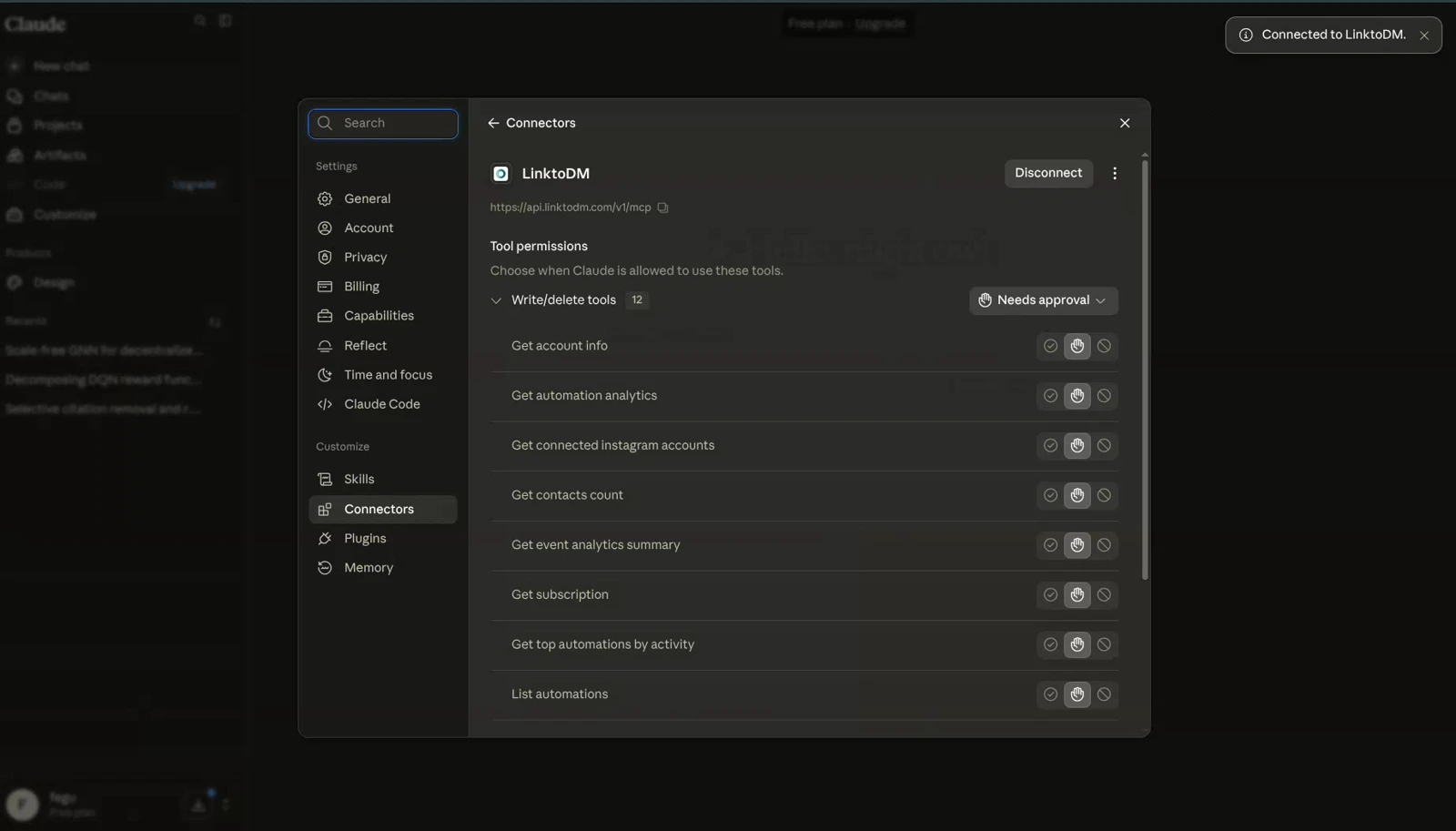
It works the same way in Claude. Once connected, Claude lists every LinktoDM tool it can use, and you choose whether each one runs freely, needs your approval first, or is blocked.
That short list of abilities is on purpose. An assistant that can read and report is useful every day. One that could DM your followers on its own would be a risk you'd have to watch.
Want AI to Build the Automation Too?
The connector is for checking and controlling what's already running. To create a new automation, use LinktoDM's AI flow builder inside the dashboard. Describe it in a sentence, like "when someone comments PRICE, ask which size they want, then send the right link", and it builds the flow for you to review and publish.
So the loop looks like this: build with the AI flow builder, run it on autopilot, and review it from ChatGPT or Claude.
Which Plan Do I Need?
The AI connector is part of LinktoDM's Pro+ plan, along with the AI flow builder, API access and payment collection. See the pricing page for current plans.
Frequently Asked Questions
Can I connect Instagram to ChatGPT?
Can Claude connect to my Instagram DM automation?
Can ChatGPT or Claude send DMs to my followers?
Is it safe to connect my account to an AI assistant?
Can the AI create new automations?
What is an MCP server?
Ask Your Automations Anything
Your AI assistant already helps you make the content. Now it can tell you what that content did in your DMs, and act on it.
Add the connector, and ask your first question: "Which of my automations worked best last week?" More than 22,000 creators already automate their Instagram DMs with LinktoDM.