



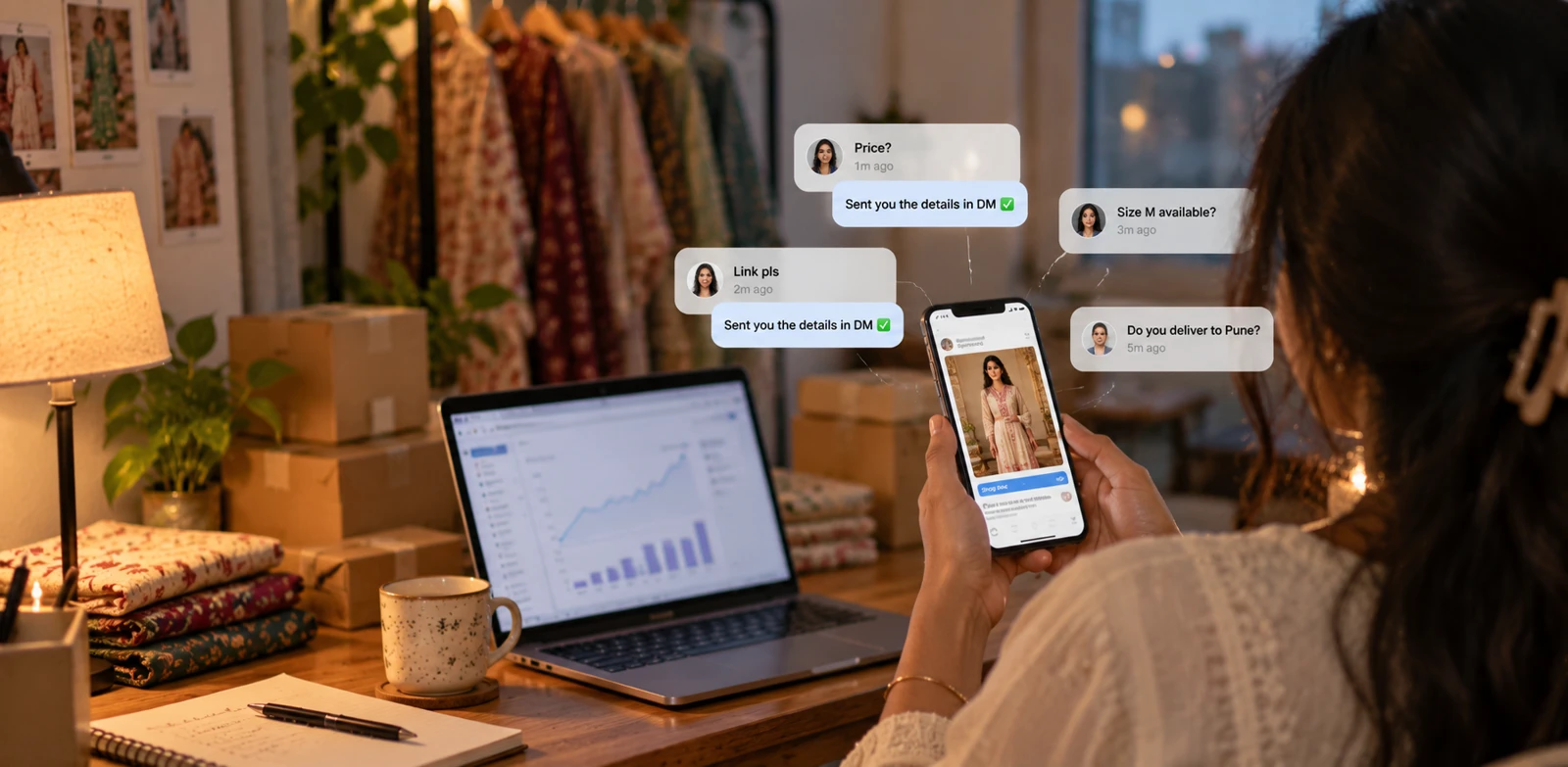
When an ad is live, you're paying for every comment under it.
"Price?"
"Link pls"
"Do you deliver to Pune?"
"Size M available?"
Each one is someone who stopped scrolling, read your ad, and raised their hand. And they tend to arrive in bursts, right when your spend kicks in at 6pm and you're nowhere near your phone.
Answer slowly and you've paid for attention you didn't convert. Answer with the same copy-pasted line two hundred times and you look like spam, in public, under your own ad.
Instagram ads comment to DM automation fixes both: every commenter gets a reply under their comment and the details in their DMs, within minutes, in words that don't all look the same.
Organic, Boosted or Ads Manager: Which Automation You Need
Not every "ad comment" lives in the same place, and that decides how you automate it.
Organic posts and reels
The classic case. Comments sit on the post, so a regular comment-to-DM post automation handles them.
Boosted posts
When you boost an existing post or reel, the ad uses that same post, so its comments land on the post itself. A post automation on that post covers organic and paid comments together. The difference is volume: a boost can turn a quiet post into a busy one within an hour.
Ads created in Ads Manager
An ad built in Meta Ads Manager often never appears on your grid at all, so you won't find it in the post picker. This is what LinktoDM's Ad automation is for: it reads comments on the ad itself, on both feed ads and story ads.
How to Set Up Instagram Ads Comment to DM
Five steps. The last one is the one most people skip.
Step 1: Create an Ad automation
In LinktoDM, click New automation and choose Ad automation at the bottom of the list. Then pick which ad it watches:
- An existing ad: choose from ads that are already running. It starts on the next comment that lands.
- My next ad: arms the automation now and attaches it to the next ad you publish, from any campaign. Handy when the campaign goes live tonight and you'd rather set up in the morning.
One thing that surprises people: an ad only shows up in the list after its first comment. If your new ad isn't there yet, it's not broken. Nobody has commented yet.
Step 2: Choose keywords, any comment, or intent
Ad traffic is colder and noisier than your followers, so the trigger matters more here than anywhere else.
- Specific Word is the right default for most ads. Trigger on the words buyers actually type: PRICE, LINK, SIZE, BOOK, DEMO. Matching ignores case and finds the word inside a sentence, so "what's the price?" fires it too.
- Any Word works when the ad itself says "Comment READY and I'll send it". Every comment is the call to action, so every comment gets the DM.
- Intent Match catches the questions nobody words the same way. Describe what the comment should mean, like "Looking for the price of the product", and "how much?", "cost?" and "rate kya hai?" all fire the same DM.
Also turn on One DM per user. People comment on ads more than once, and without it, someone who types "link" three times gets three DMs.
Step 3: Write a public reply and a DM that do one job each
The public reply is for everyone else scrolling the comments. It shows the ad is answered, which is social proof for the silent buyers. Keep it short:
"Sent you the details in DM ✅"
"Check your DMs for the price list!"
The DM is for the person who asked. Acknowledge the comment, then give one next step: a link, a price list, or one question. Ad traffic is impatient. Five links and a paragraph lose them.
Then add two or three message variations, or let AI write the public replies. Change the greeting, the order and the emoji, but keep the link the same so your tracking stays clean. Two hundred identical replies under an ad is exactly what makes automation look bad.
Step 4: Branch it in Flow Builder when one DM isn't enough
"Comment LINK, get the link" doesn't need anything more than the Ad automation itself. Reach for Flow Builder when the ad sells something that needs a question first:
- "Which city are you in?" before you confirm delivery
- "Beginner or advanced?" before you send the right course
- "Which size?" before you send the product link
- Collecting an email or phone number after you've delivered something useful
Follow-ups work too: if they didn't tap the link, nudge them once a few hours later. Just keep every follow-up inside 24 hours. Instagram only lets you message someone within 24 hours of their last interaction, so a "day two" nudge simply won't deliver.
Step 5: Run a safety check, test, then raise the budget
Before you scale spend, open the automation's ··· menu and choose Run safety check. LinktoDM's AI scans your keywords, public reply and DMs against Meta's policies and flags risky claims, prohibited offers or banned terms, with suggested fixes.
Then comment your keyword on the live ad from a second Instagram account and check the whole path: public reply, DM, button, link, landing page. Only then raise the budget.
That's it.
- No paid comment left unanswered.
- No identical replies stacked under your ad.
- No scrambling to reply manually while the budget burns.
What Happens When Your Spend Spikes
Meta, not LinktoDM, decides how fast your account can send. DMs that answer comments are capped at 750 per hour per account, on every tool and every plan.
So when a boosted reel pulls in two thousand comments in an hour, LinktoDM doesn't hammer the API. Its smart queue holds the extra messages and releases them as the limit allows, slowing down automatically when Instagram pushes back. Some DMs arrive a few minutes late. None get thrown away.
If the backlog grows, the fix is upstream: tighten the keywords so fewer comments qualify, and set a public reply limit so one ad doesn't fill its whole thread with replies.
Keyword Ideas by Business
- Coaches and educators: LINK, FEE, DEMO, JOIN, SYLLABUS
- D2C and fashion: PRICE, SIZE, COD, COLOUR, LINK
- Local services: BOOK, CITY, AREA, SLOT, VISIT
- SaaS and tools: DEMO, PRICING, TRIAL
Add misspellings only when you actually see them in your comments. If your audience mixes languages, use Intent Match instead of guessing every spelling.
What This Looks Like in Practice
Say you run a kurta brand and launch a Diwali collection ad in Ads Manager. The ad says "Comment PRICE for the full catalogue".
In the morning you create an Ad automation set to my next ad, with PRICE and CATALOGUE as keywords, three public reply variations, and a Flow Builder path that asks "Which size do you wear?" before sending the right catalogue link. You run the safety check, the ad goes live at 6pm, and you test it from a friend's account.
By 9pm, three hundred people have commented. Each got a reply under their comment and a catalogue in their size, and anyone who didn't tap the link got one gentle nudge before midnight. You spent the evening at dinner.
Before You Go Wide
Automation doesn't change Meta's rules. Three habits keep your ads and your account healthy:
- Deliver what the ad promised. If the ad says "free guide", the DM sends the guide, not a sales pitch with the guide hidden behind it.
- Only one DM app per account. Instagram lets one app own a conversation at a time. If you're moving from another tool, remove it properly first.
- If a human assistant wouldn't send it, don't automate it. Three nudges in ten minutes, or a sequence nobody signed up for, is how ad comments turn into "stop spamming me" replies.
How to Tell If It's Working
- Comments → DMs sent: if it's low, your keywords are too narrow.
- DMs → link clicks: if it's low, your DM is unclear or asks for too much.
- Clicks → sales or leads: if it's low, fix the landing page, not the automation.
- The same question keeps appearing in the comments: your DM isn't answering it.
Frequently Asked Questions
Can I automate replies to comments on Instagram ads?
Why can't I see my ad in LinktoDM?
Do I need a separate automation for a boosted post?
Should I use keywords or reply to every ad comment?
Can automating ad comments get my account banned?
Do I need Flow Builder for ads?
Learn More
- Keywords, Any Word and Intent Match triggers →
- Build your first flow in Flow Builder →
- How the DM queue handles spikes →
- 10 types of Instagram DM automation →
- See LinktoDM pricing →
You Already Paid for the Comment
Every comment on your ad cost you something. Answering it in minutes is how you get that money back.
Pick one live ad. Set the keywords. Write the reply and the DM. Run the safety check, test it, then let the queue handle the spike.

'%3e%3cpath%20d='M14.8156%200H1.18125C0.528125%200%200%200.515625%200%201.15313V14.8438C0%2015.4813%200.528125%2016%201.18125%2016H14.8156C15.4688%2016%2016%2015.4813%2016%2014.8469V1.15313C16%200.515625%2015.4688%200%2014.8156%200ZM4.74687%2013.6344H2.37188V5.99687H4.74687V13.6344ZM3.55938%204.95625C2.79688%204.95625%202.18125%204.34062%202.18125%203.58125C2.18125%202.82188%202.79688%202.20625%203.55938%202.20625C4.31875%202.20625%204.93437%202.82188%204.93437%203.58125C4.93437%204.3375%204.31875%204.95625%203.55938%204.95625ZM13.6344%2013.6344H11.2625V9.92188C11.2625%209.0375%2011.2469%207.89687%2010.0281%207.89687C8.79375%207.89687%208.60625%208.8625%208.60625%209.85938V13.6344H6.2375V5.99687H8.5125V7.04063H8.54375C8.85938%206.44063%209.63438%205.80625%2010.7875%205.80625C13.1906%205.80625%2013.6344%207.3875%2013.6344%209.44375V13.6344Z'%20fill='%23B1B1B1'/%3e%3c/g%3e%3cdefs%3e%3cclipPath%20id='clip0_6304_15414'%3e%3crect%20width='16'%20height='16'%20fill='white'/%3e%3c/clipPath%3e%3c/defs%3e%3c/svg%3e)
