You finally sat down to set up DM automation.
You picked the tool.
You clicked connect.
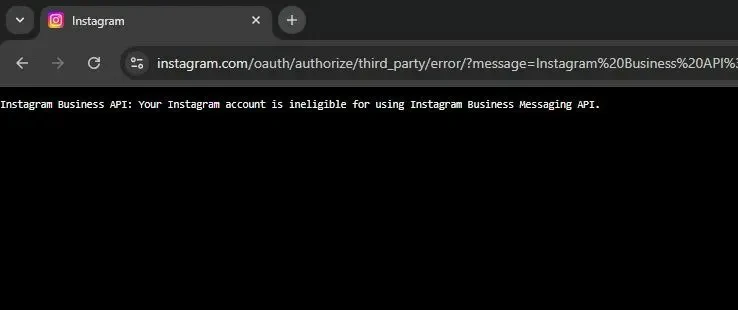
Meta said no.
"Instagram Business API: Your Instagram account is ineligible for using Instagram Business Messaging API."
No reason. No link. No next step. Just a red banner and a setup that's going nowhere.
If you're staring at that message right now, you're not alone. It's one of the most searched Instagram errors out there, and it stops creators and small brands at the very first step, before a single automation has been built.
Here's what the message actually means, the four things that usually cause it, and why you may not need to fix it at all.
What "Ineligible" Actually Means
Meta doesn't let just any app read and send your Instagram DMs. Before it hands over messaging access, it runs a quick check on your account.
"Ineligible" means your account failed that check. Your account isn't banned and you haven't done anything wrong. It just isn't set up the way that particular connection method expects.
And that's the key detail most guides skip: you almost always see this error when connecting through Facebook login. That route asks for the most setup, because it reaches your Instagram account through a Facebook Page. Every link in that chain has to be in place, or Meta says "ineligible" and stops.
The 4 Usual Causes
Run through these in order. Most people find their culprit in the first two.
1. Your account is still a personal account
Messaging access only exists for professional accounts. If you've never switched, Meta won't even consider it.
Fix: in Instagram, go to Settings → Account type and tools → Switch to professional account. Both Creator and Business accounts work, so pick whichever fits you.
2. There's no Facebook Page, or it's the wrong one
On the Facebook route, your Instagram account has to be linked to a Facebook Page, and you need full control of that Page. A Page someone else created for you, or one where you only have partial access, is a common trap.
Fix: link your Instagram to a Page you fully manage, and if you use Meta Business Suite, make sure the Page and the Instagram account sit in the same business.
3. "Allow access to messages" is switched off
Even with everything else right, Instagram keeps a separate switch that decides whether connected tools can touch your inbox. It's off on many accounts.
Fix: in Instagram, open Settings → Messages and story replies → Message controls, and turn on Allow access to messages under Connected tools.
4. You fixed it, but Meta hasn't caught up
Switched account type five minutes ago and still seeing the error? Meta's systems can take anywhere from 30 minutes to a few hours to reflect the change.
Fix: wait, then try connecting again. Reconnecting ten times in a row won't speed it up.
For screenshots of every setting, see our full Messaging API checklist.
Or Skip the Facebook Setup Entirely
Here's the part nobody tells you.
Three of those four causes exist because of the Facebook Page. The Page link, the Business Suite setup, the admin access you have to chase down from whoever made the Page in 2019: all of it belongs to the Facebook route.
So what if you didn't take that route?
Meta now lets tools connect directly with your Instagram login. No Facebook Page, no Business portfolio, no Page roles. Just your Instagram username and password, entered on Instagram's own screen.
LinktoDM supports both. On the connect screen, you'll see two buttons:
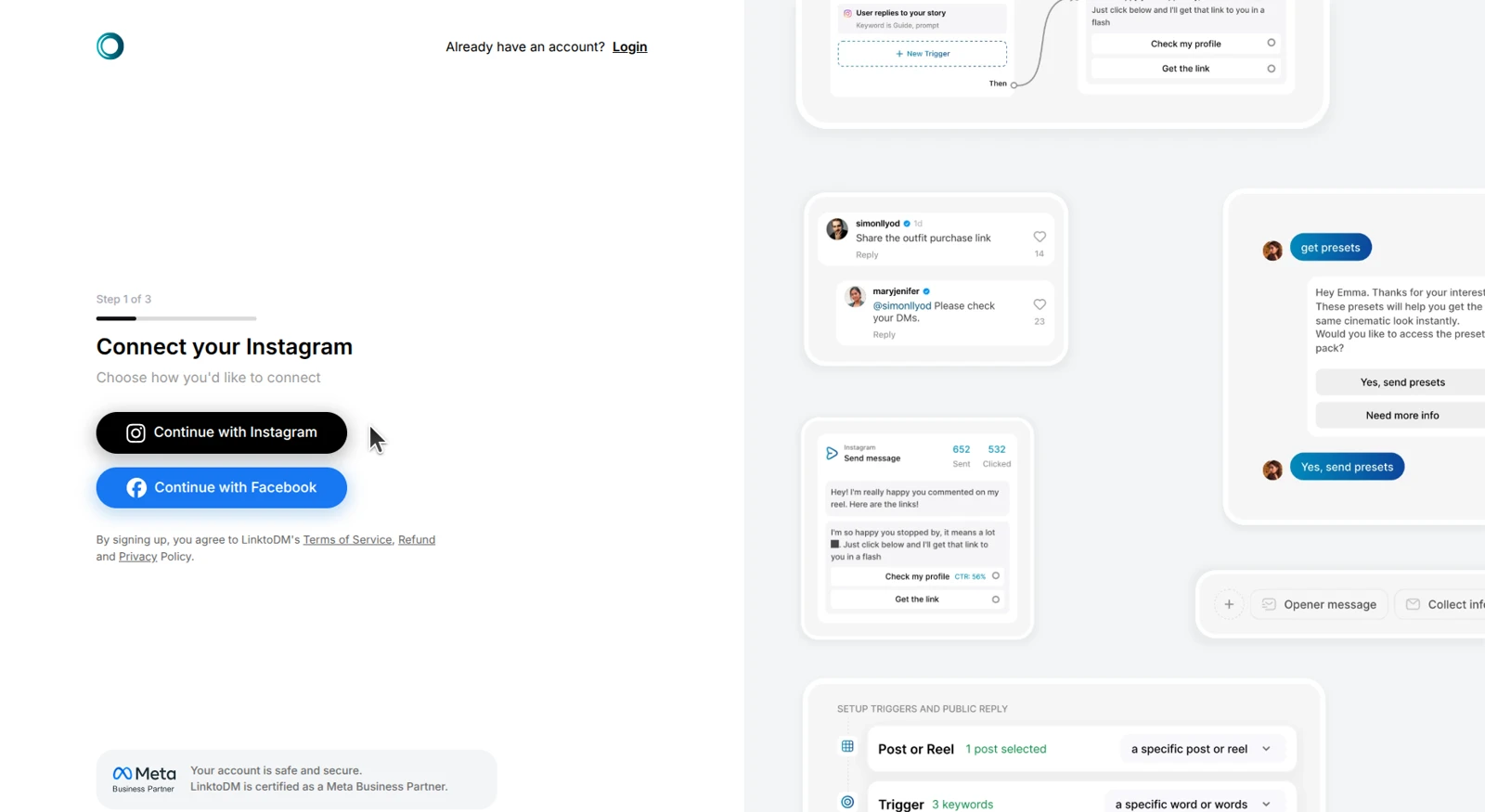
Choose Continue with Instagram, and here's what happens:
- Log in on Instagram's page. LinktoDM never sees your password.
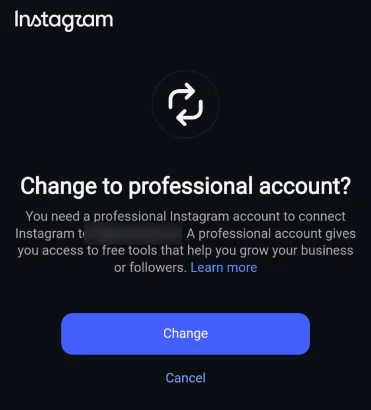
- Still on a personal account? Instagram offers to switch you to a professional account right there, in one tap. No digging through settings.
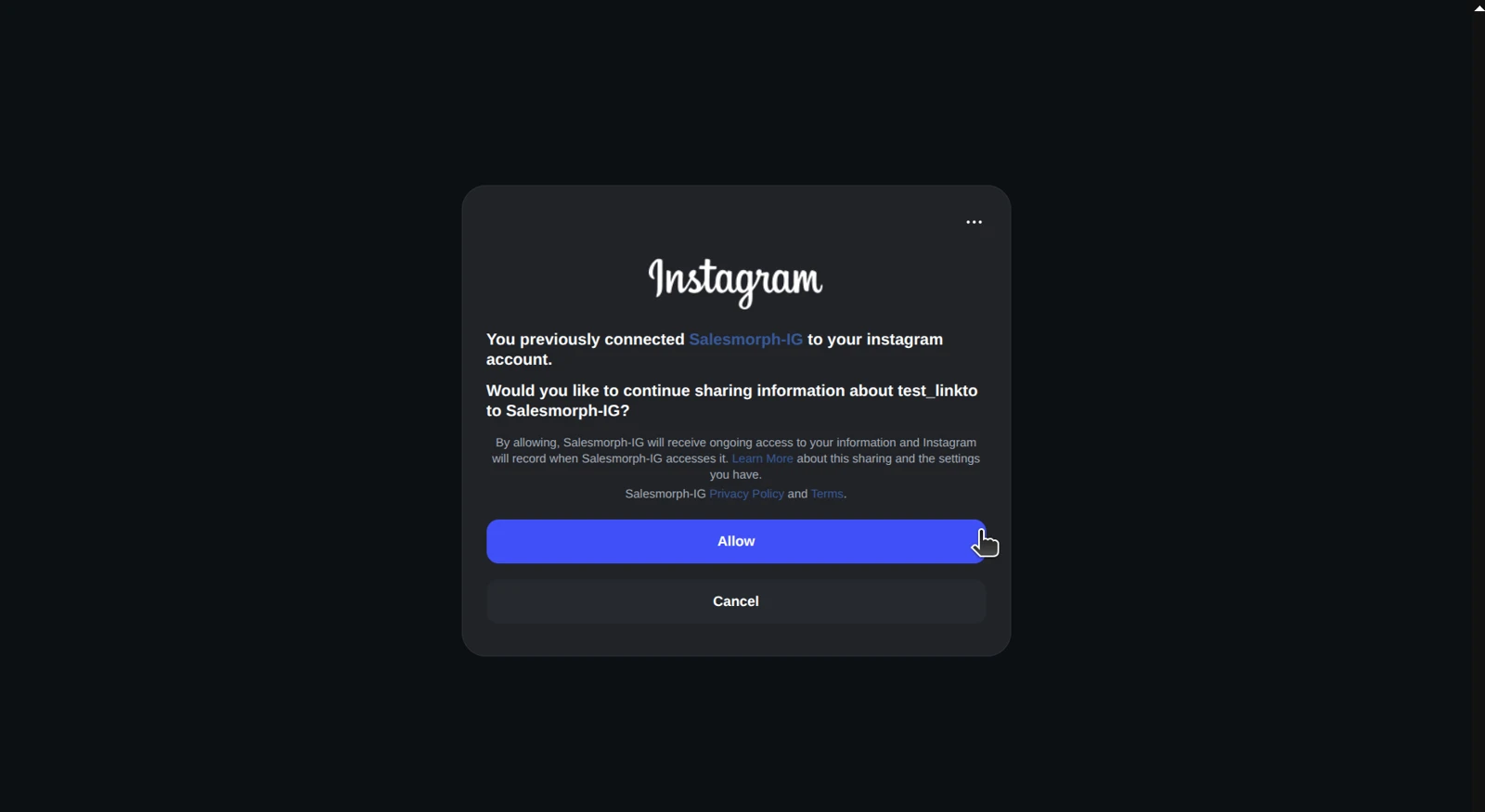
- Allow access. Approve the messaging and comment permissions, since your automations run on those.
- You're in. LinktoDM drops you straight into the dashboard.
That takes about two minutes, and you never touch a Facebook Page. The full walkthrough is in Connect your Instagram account.
"But Do I Lose Features Without Facebook?"
That's the fair question, and it's the reason many people keep fighting the Facebook setup. They assume the shortcut comes with a catch.
With LinktoDM, it doesn't. Accounts connected with Instagram login get the same toolkit:
- Comment-to-DM on posts, reels and ads: someone comments "LINK", and the DM lands in seconds.
- Story replies and mentions: turn every reaction into a conversation.
- Ask to Follow: ask people to follow before you send the goods.
- Backtrack: catch up on comments from the last 7 days that came in before your automation existed.
- Link click tracking and analytics: see which reels actually drive clicks, not just comments.
The only reason to choose Facebook login is if you also want to automate a Facebook Page's Messenger. For Instagram alone, the Instagram route gets you everything.
One note: each Instagram account connects through one method, so pick Instagram login and stick with it.
What You Can Build in the Next 10 Minutes
Here's the thing about this error: it costs you more than a setup afternoon. Every day you're stuck on it, your comments keep asking "link?" and nobody answers.
Once you're connected, the first automation takes minutes:
- Pick a reel that's already getting comments.
- Set a keyword, like "LINK" or "GUIDE".
- Write the DM, with your link inside.
- Switch it on, and turn on Backtrack to reach the people who already commented.
LinktoDM runs on Meta's official API and is a Meta Business Partner. More than 22,000 creators use it to turn comments into conversations, without handing their password to a tool that works outside Meta's rules.
And if you just want to try it, there's a free plan to start on.
Still Seeing "Ineligible"?
If the error shows up even on the Instagram login route, check these:
- Is the account really professional? Open your profile. If you don't see the Professional dashboard, the switch didn't save. Try again from the Instagram app.
- Did you just switch? Give Meta a few hours, then reconnect.
- Is another DM tool still connected? Instagram gives messaging control to one app at a time. Remove old tools first. Here's how to free up your inbox.
Still stuck? Message LinktoDM support with a screenshot of the error, and we'll look at it with you.
Frequently Asked Questions
Why does Instagram say my account is ineligible for the Messaging API?
Can a Creator account use the Instagram Messaging API?
Do I need a Facebook Page for Instagram DM automation?
How long does it take for the fix to work?
Is it safe to connect my Instagram to an automation tool?
Does this error mean my account is banned or restricted?
Learn More
- Connect Instagram without a Facebook Page →
- The full Messaging API checklist →
- Instagram DM automation not working? 8 fixes →
- 10 types of Instagram DM automation →
- See LinktoDM pricing →
The Error Isn't the End of the Setup
"Ineligible" sounds final. It isn't.
Either fix the Facebook chain one link at a time, or skip it and connect with Instagram in two minutes. Either way, your next reel's comments get answered.
→ Connect your Instagram to LinktoDM, no Facebook Page needed