



Over 200 million businesses use Instagram every month to connect with potential customers and grow their brands. With competition this fierce, standing out means working smarter, not harder. Setting up advanced automation can turn daily interactions into valuable opportunities for engagement, lead capture, and authentic conversations. Discover how a streamlined approach can make your Instagram account more efficient and responsive while keeping your personal touch front and center.
Quick Summary
| Key Point | Explanation |
|---|---|
| 1. Switch to a Professional Instagram Account | Transform your personal account to access advanced features for automation and analytics. Choose Creator or Business based on your needs. |
| 2. Utilize Pre-built DM Templates | Start with templates for common scenarios to save time, but ensure to personalize for authentic engagement. |
| 3. Set Up Intelligent Automation Triggers | Configure automated responses for interactions like comments and story mentions to create engaging follower experiences. |
| 4. Leverage AI Auto-Replies for Efficiency | Implement AI-generated replies to make your engagement thoughtful and maintain a human touch in communication. |
| 5. Test and Analyze Engagement Metrics Regularly | Monitor and refine your automated workflows using analytics to ensure they resonate and provide valuable interactions. |
Step 1: Set Up Your LinktoDM Account and Permissions
In this step, you’ll transform your Instagram account into a powerful automation hub by connecting it to LinktoDM and configuring the right permissions. Think of this as building your social media command center where engagement runs smoothly and automatically.
First things first, you’ll need to switch your personal Instagram account to a Professional account. This means selecting either a Creator or Business profile type which unlocks advanced features and API access. According to LinktoDM’s getting started guide, you have two primary sign-in pathways: connecting via Facebook (recommended for full automation capabilities) or using direct Instagram credentials.
To start, open Instagram and navigate to your profile settings. Look for the account type conversion option that allows you to switch to a Professional profile. During this process, you’ll be prompted to select either Creator or Business account status. Pro tip: Creator accounts work best for individual influencers and personal brands, while Business accounts suit companies and larger organizations.
Here’s a comparison of the two main Instagram Professional account types:
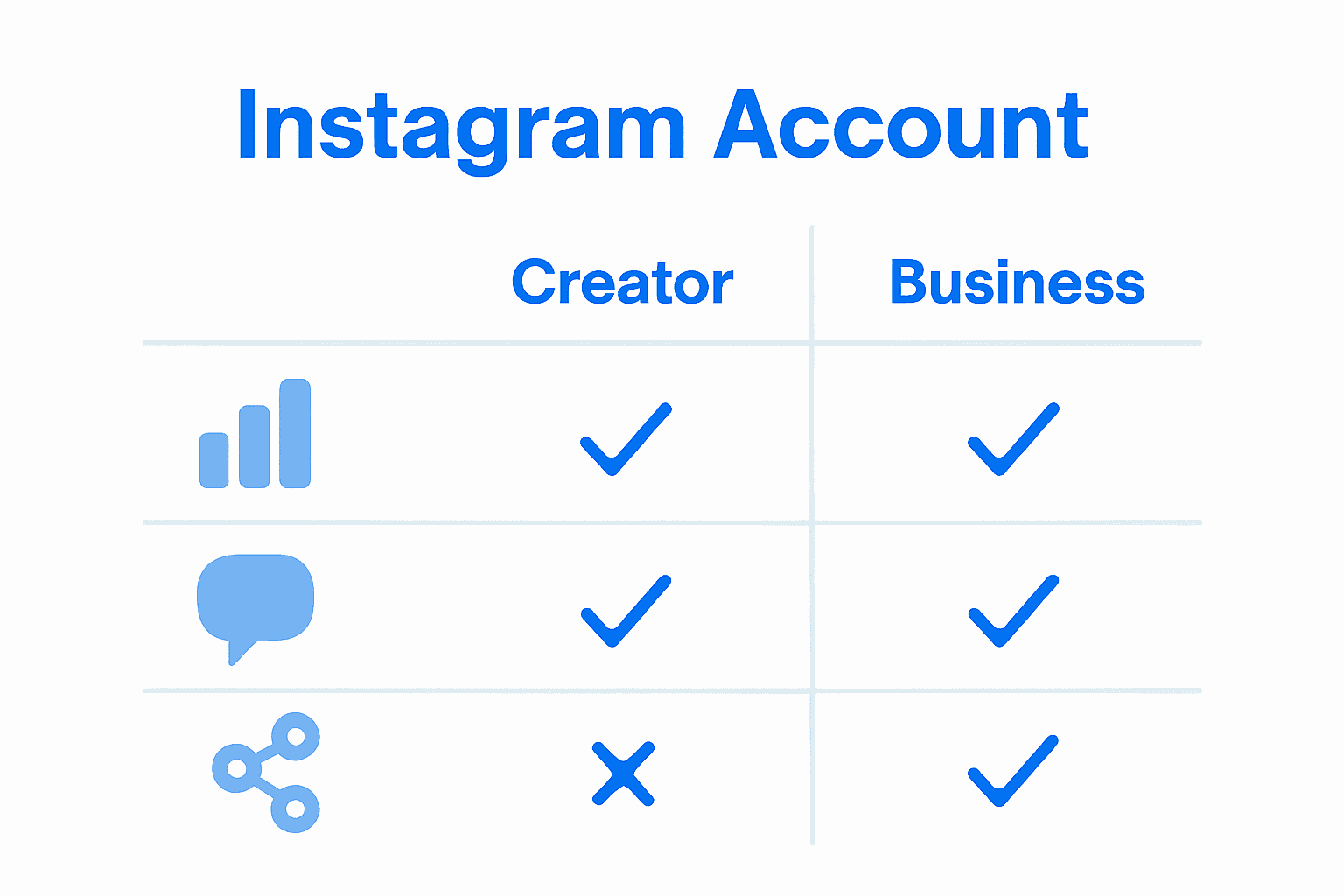
| Feature | Creator Account | Business Account |
|---|---|---|
| Best For | Influencers Personal Brands |
Companies Organizations |
| Analytics Access | Standard Insights | Advanced Insights |
| Messaging Tools | Focus on DMs Quick Replies |
Full Messaging Suite |
| API Integration | Limited API Access | Advanced API Access |
| Monetization Options | Branded Content | Shopping Ads |
| Facebook Link | Required | Required |
Warning: Instagram requires linking your new Professional account to a Facebook Page. If you don’t have a Facebook Page already, you’ll need to create one before completing the conversion.
Once your account is professionally configured, head to the LinktoDM signup page. Choose your preferred login method carefully. The Facebook-linked option provides more robust API access and reduces risks of potential automation interruptions.
During the permission granting process, carefully review the access levels you’re providing. LinktoDM recommends minimizing unnecessary permissions to maintain account security. You’ll want to authorize only the specific automation features you plan to use.
After successful account connection, you’re ready to start building your first automated workflows. The next step involves naming your automation sequences, defining precise triggers, and crafting personalized response messages that feel authentic and engaging.
Your social media just got a lot smarter and more efficient.
Step 2: Customize DM Templates and Automation Rules
Now that your account is set up, it is time to craft the heart of your Instagram automation strategy: personalized DM templates and smart automation rules. This step transforms your generic interactions into targeted engagement machines that feel authentic and responsive.
LinktoDM offers an impressive array of pre-built templates designed to accelerate your workflow. According to their platform description, you can quickly create chat automations for various scenarios like lead capture, welcome messages, and future product selling strategies. These templates serve as your starting point for crafting intelligent communication pathways.
Begin by exploring the template library and selecting options that align with your brand voice and audience needs. Pay close attention to the customization options that allow you to inject personality into each automated response. You might choose a template for welcoming new followers, responding to story mentions, or providing quick customer support information.
Pro Tip: While templates provide structure, always personalize them to sound like genuine human communication. Avoid robotic language that might signal automated messaging.
When setting up your automation rules, consider the specific triggers that will activate your messages. LinktoDM supports multiple engagement scenarios including sending links, requesting follows, implementing AI auto-replies, responding to stories, and tracking link interactions. This means you can create sophisticated workflows that feel responsive and intelligent.
For instance, you might set a rule that automatically sends a welcome message to new followers, includes a link to your latest content, and invites them to engage further. Or create a workflow that responds to story mentions with a personalized acknowledgment and call to action.
Learn more about advanced DM automation strategies to unlock even more powerful engagement techniques. The goal is creating a system that feels personal yet operates with machine-like efficiency.
Remember that great automation feels invisible. Your audience should feel like they are having a genuine conversation, not interacting with a robot. Continuously test and refine your templates to maintain that human touch.
With your templates configured and rules established, you are ready to transform your Instagram interactions from manual labor to strategic engagement.

Step 3: Integrate Triggers for Comments, Mentions, and Stories
This is where your Instagram automation strategy transforms from basic to brilliant. You will now learn how to create intelligent triggers that turn every interaction into a potential conversation starter using LinktoDM’s advanced automation capabilities.
According to LinktoDM’s marketing automation features, you can now set up universal automation mechanisms that respond across posts, stories, and comments. Think of these triggers as your digital assistants waiting to engage with your audience the moment they interact with your content.
Start by exploring comment triggers. These allow you to automatically respond when someone leaves a comment matching specific keywords or criteria. For example, you might create a trigger that sends a personalized DM when someone comments with words like #info or #help. Learn more about configuring automation triggers to maximize your engagement potential.
Pro Tip: Design your triggers to feel natural. Avoid generic responses that sound robotic or impersonal.
Next, configure story interaction triggers. LinktoDM supports story reaction automation which means you can automatically respond when someone mentions you or reacts to your stories. This feature turns passive viewers into active participants in your social media ecosystem.
One powerful feature is the ability to backtrack and respond to comments from the last seven days. This means you will not miss opportunities to engage with followers who might have commented earlier. Imagine capturing potential leads or building connections even after some time has passed.
When setting up these triggers, be strategic. Consider your audience’s typical language, the types of interactions you want to encourage, and the messaging that genuinely reflects your brand voice. The goal is creating a system that feels responsive and intelligent without seeming automated.
Your triggers should feel like a natural extension of your social media presence. They are not about sending mass messages but creating meaningful touchpoints that make your followers feel heard and valued.
With these triggers in place, you are ready to transform your Instagram interactions from manual responses to strategic engagement workflows.
Step 4: Enable AI Auto-Replies and Schedule Follow-Ups
Your Instagram engagement is about to get smarter and more efficient. In this step, you will leverage LinktoDM’s AI capabilities to create intelligent auto-replies and strategic follow-up sequences that feel personal and responsive.
AI auto-replies are not about sending generic robotic messages. Instead, they are sophisticated communication tools that understand context and generate human-like responses. Learn how to set up intelligent message automation to transform your social media interactions.
Start by exploring the AI response generator within LinktoDM. This tool allows you to create nuanced reply templates that adapt to different conversation scenarios. Think of it like training a digital communication assistant that understands your brand voice and audience preferences.
Pro Tip: Always review and refine your AI responses to ensure they maintain authenticity and align with your brand personality.
When configuring auto-replies, consider creating multiple response pathways. You might develop different message sequences for new followers, potential leads, customer inquiries, and engagement requests. The key is building a system that feels responsive yet personalized.
Scheduling follow-ups is where your automation strategy becomes truly powerful. You can now design intelligent workflows that automatically reconnect with followers based on specific interaction timelines. For instance, send a gentle reminder message to users who showed initial interest but did not complete an action or create a sequence that nurtures potential leads over time.
The most effective auto-reply systems balance automation with genuine human touch. Your messages should sound conversational invite further interaction and provide real value. Avoid overly scripted language that might signal robotic communication.
Remember that AI tools are assistants not replacements for authentic human connection. Use them to enhance your engagement not substitute genuine interaction. Regularly monitor and adjust your auto-reply settings to maintain quality and relevance.
With these AI auto-replies and follow-up sequences in place, you are transforming your Instagram communication from manual effort to strategic relationship building.
Step 5: Test Automated DMs and Analyze Engagement Metrics
Welcome to the most critical phase of your Instagram automation journey where you transform data into actionable insights. In this step, you will systematically test your automated workflows and dissect their performance using LinktoDM’s powerful analytics tools.
Learn more about the benefits of DM automation and understand why tracking performance matters. According to LinktoDM’s performance tracking features, you can now monitor detailed metrics like comment counts, click-through rates, and conversion statistics that reveal the true impact of your automation strategy.
Begin by running controlled tests on your automated DM sequences. Create multiple message variations and observe how different approaches resonate with your audience. Pay attention to subtle nuances in engagement rates response times and follower interactions.
Pro Tip: Start with small audience segments to minimize potential risks and gather precise performance data before full deployment.
LinktoDM provides comprehensive real-time metrics that allow you to track the behavior of your automated workflows. Look beyond simple message delivery statistics and focus on deeper engagement indicators. How many recipients are clicking your links? What percentage are responding to your automated messages? Which message templates generate the most meaningful interactions?
Analyze your metrics with a critical eye. Low engagement might signal that your messages feel too robotic or lack personalization. High interaction rates suggest your automated workflows are hitting the right communication notes.
Consider creating a performance dashboard where you track key metrics weekly. Monitor trends like response rates conversation initiation percentages and follower growth correlating with your automation strategies. This data becomes your roadmap for continuous improvement.
Remember that automation is an evolving strategy. What works today might need refinement tomorrow. Stay adaptable and use these metrics as a compass guiding your social media engagement approach.
With these insights in hand, you are now equipped to transform your Instagram interactions from guesswork to a data-driven communication powerhouse.
Transform Your Instagram Engagement With Automation That Feels Human
Feeling stuck managing hundreds of DMs and comments manually? The article above highlights just how overwhelming it can be to keep up with Instagram interactions while still growing your account. If you have experienced the frustration of missed opportunities delayed responses and stagnant engagement metrics you are not alone. Many creators and marketers discover that building real relationships at scale often feels impossible without the right tools. But you do not have to settle for impersonal messaging or hours spent on repetitive tasks.
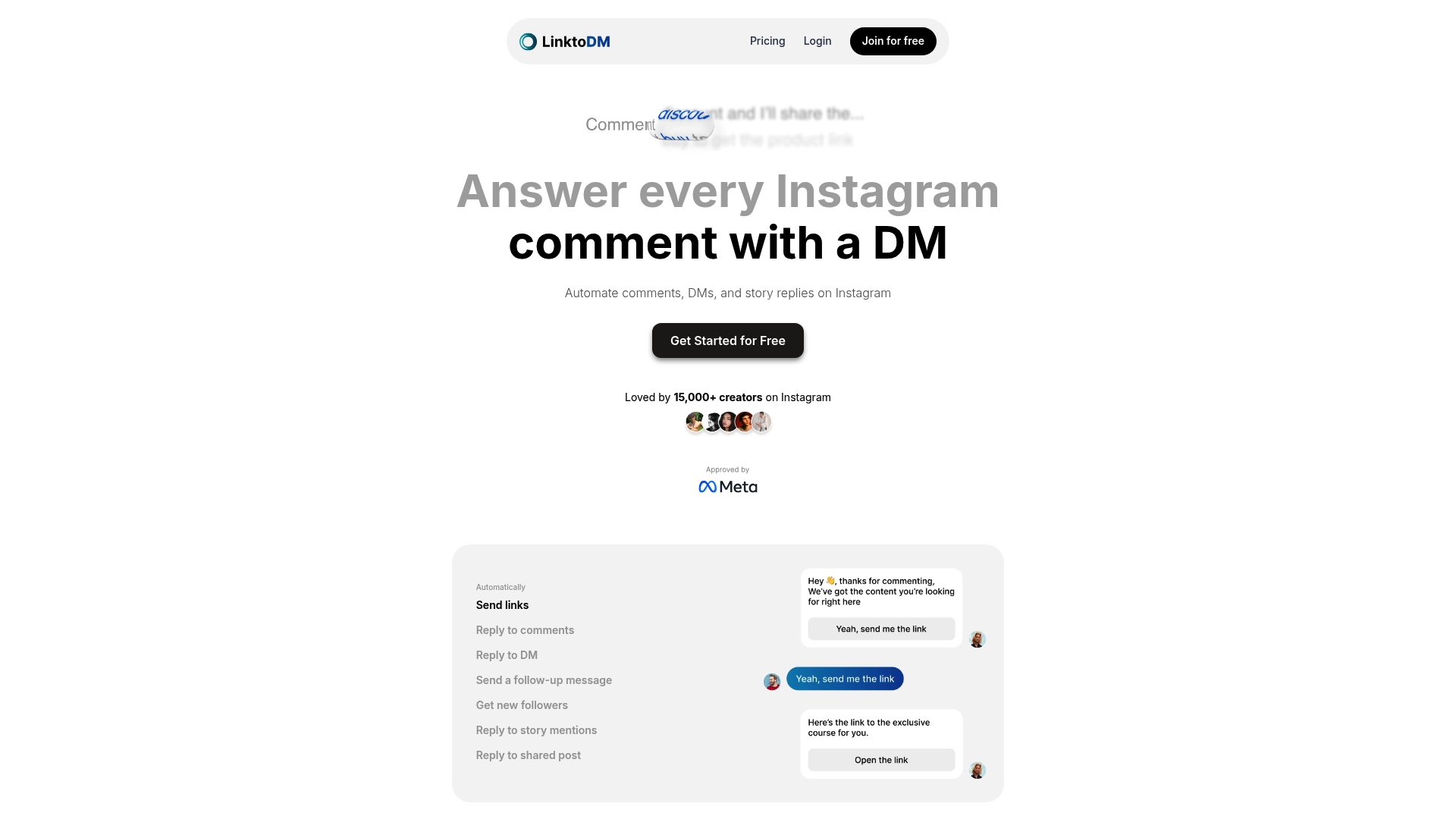
LinktoDM empowers you to automate every step of your Instagram DM workflow without sacrificing authenticity. Instantly put into action everything you learned here using:
- Ready-to-use DM templates for every engagement scenario
- Smart triggers that respond to comments story mentions and more
- AI-generated replies that feel natural and timely
- Real-time analytics to track conversations clicks and follower growth
Why wait? Your audience expects fast replies and personal touch today. Join creators and influencers who are boosting their growth and making deeper connections by switching to LinktoDM’s automation platform. Start your free trial at https://linktodm.com and experience the difference true automation can make.
Frequently Asked Questions
How do I set up my LinktoDM account for Instagram DM automation?
To set up your LinktoDM account, first switch your personal Instagram account to a Professional account by selecting either Creator or Business profile. Then, log in to LinktoDM using Facebook or direct Instagram credentials to begin configuring your automation features.
What types of DM templates can I create for engagement?
You can create personalized DM templates for various scenarios such as welcome messages, lead captures, and customer support interactions. Start by exploring available templates in LinktoDM and customize them to reflect your brand voice.
How do I enable AI auto-replies for my automated Instagram DMs?
Enable AI auto-replies by accessing the AI response generator within LinktoDM to create nuanced reply templates tailored to different conversation types. Regularly review and refine these templates to ensure they align with your brand personality.
What are the best triggers to set for responding to comments and story mentions?
Set comment triggers based on specific keywords to automatically respond to relevant engagement, and create story interaction triggers to respond when someone reacts to your stories. Design your triggers thoughtfully to ensure they feel natural and engaging.
How can I analyze the effectiveness of my automated DM workflows?
Analyze your automated workflows by monitoring detailed metrics like click-through rates and interaction statistics. Run controlled tests using different message variations to gather data and adjust your strategies for better engagement results.
How often should I test and refine my automated messages?
Regularly test your automated messages, ideally every few weeks, to keep your content fresh and engaging. Use audience feedback and engagement metrics to identify what works and refine less effective messages accordingly.

'%3e%3cpath%20d='M14.8156%200H1.18125C0.528125%200%200%200.515625%200%201.15313V14.8438C0%2015.4813%200.528125%2016%201.18125%2016H14.8156C15.4688%2016%2016%2015.4813%2016%2014.8469V1.15313C16%200.515625%2015.4688%200%2014.8156%200ZM4.74687%2013.6344H2.37188V5.99687H4.74687V13.6344ZM3.55938%204.95625C2.79688%204.95625%202.18125%204.34062%202.18125%203.58125C2.18125%202.82188%202.79688%202.20625%203.55938%202.20625C4.31875%202.20625%204.93437%202.82188%204.93437%203.58125C4.93437%204.3375%204.31875%204.95625%203.55938%204.95625ZM13.6344%2013.6344H11.2625V9.92188C11.2625%209.0375%2011.2469%207.89687%2010.0281%207.89687C8.79375%207.89687%208.60625%208.8625%208.60625%209.85938V13.6344H6.2375V5.99687H8.5125V7.04063H8.54375C8.85938%206.44063%209.63438%205.80625%2010.7875%205.80625C13.1906%205.80625%2013.6344%207.3875%2013.6344%209.44375V13.6344Z'%20fill='%23B1B1B1'/%3e%3c/g%3e%3cdefs%3e%3cclipPath%20id='clip0_6304_15414'%3e%3crect%20width='16'%20height='16'%20fill='white'/%3e%3c/clipPath%3e%3c/defs%3e%3c/svg%3e)

