



Choosing the right digital tool can make connecting with your audience feel almost effortless. Some platforms make it simple to organize your work and save time while others focus on helping you build relationships with fans or customers. There are options that promise better organization, faster replies, and even clever ways to grow your following. Each one takes a different approach to solving the challenge of staying active online without being glued to your phone all day. Curious about which tools stand out and what they do best? Keep reading to discover how these solutions could fit your routine.
linktodm
At a Glance
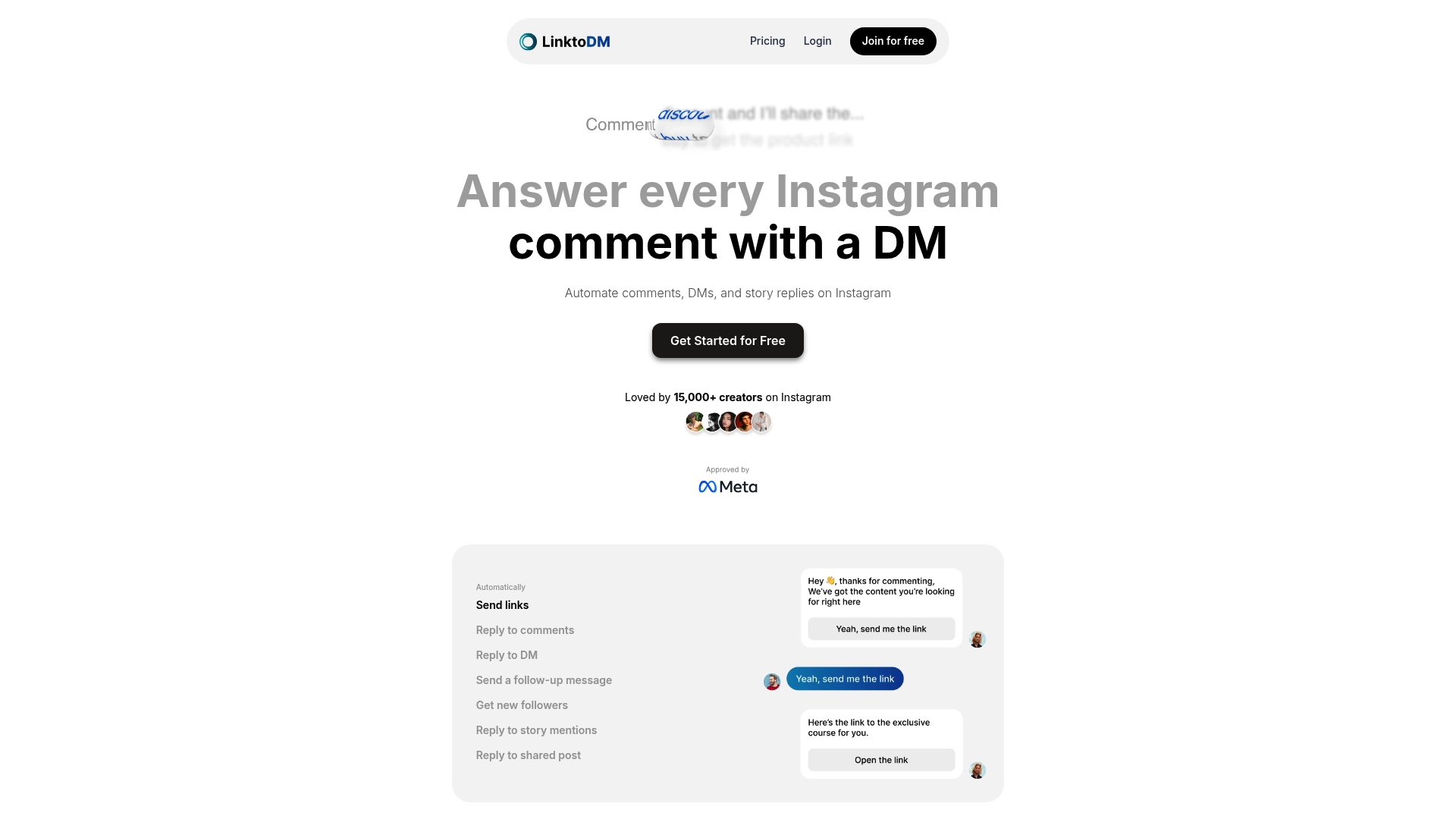
linktodm is an advanced Instagram DM automation platform built to help influencers, creators, and marketers scale interaction without burning time on manual replies. It automates direct messages, comments, and story interactions while offering lead capture and AI-driven auto replies to keep conversations personalized. Right now there’s a Black Friday incentive—40% off yearly plans—which makes it an attractive entry point for teams and solo creators alike.
Core Features
linktodm centralizes Instagram engagement automation: you can automate comments, DMs, and story replies, deploy pre-built templates for instant chat automation, and capture leads by collecting names and emails. It includes an “ask to follow” flow to convert casual interactions into followers and an AI auto-reply engine that personalizes responses to comments and messages so you maintain user-level engagement at scale.
Pros
- Comprehensive automation toolkit: The platform supports comments, DMs, and story replies, giving you end-to-end coverage of Instagram interaction points.
- Connect unlimited Instagram accounts: You can manage multiple profiles without account caps, which simplifies agency and multi-brand workflows.
- Built-in lead capturing and follow-up: The system collects names and emails and supports follow-up messaging to turn interactions into marketing leads.
- Team access and multi-user management: Collaboration is supported so teams can share workflows, manage queues, and handle high volumes of inbound messages.
- Dedicated support and early feature access: Users receive support and get early access to new capabilities, helping teams stay ahead when scaling automation.
Who It’s For
linktodm is designed for influencers, content creators, social media marketers, and brands that need to automate Instagram engagement without sacrificing personalization. If you regularly field high volumes of comments and DMs, run campaigns that depend on quick replies, or want a repeatable lead capture flow, linktodm is built for your day-to-day operations. It also fits agencies managing multiple client accounts who need centralized automation and team access.
Unique Value Proposition
linktodm’s core advantage is the combination of breadth and operational depth: it doesn’t only automate one channel—it automates comments, DMs, and story interactions while coupling those flows with lead capture and AI personalization. That mix turns passive engagement into measurable outcomes (followers and leads) rather than just message throughput. Unlimited account connections and multi-user support make it practical for agencies and creators scaling across profiles, while pre-built templates shorten setup time. The platform’s AI auto-replies keep conversations natural at scale, and the built-in “ask to follow” feature directly bridges interaction and audience growth. Together, these design choices prioritize growth efficiency—automating repetitive tasks while preserving the human touch that converts followers into engaged fans.
Real World Use Case
A digital creator uses linktodm to automate responses to comments and DMs after every video drop. Templates handle common questions, AI personalizes replies, and the lead capture flow collects email addresses for a newsletter. The result: higher comment response rates, steady follower growth, and a manageable lead list that feeds future campaigns.
Pricing
Pricing starts from $10/month, with a free plan for beginners and multiple paid tiers that unlock additional features. A current Black Friday promotion offers 40% off on yearly plans.
Website: https://linktodm.com
Hootsuite
At a Glance
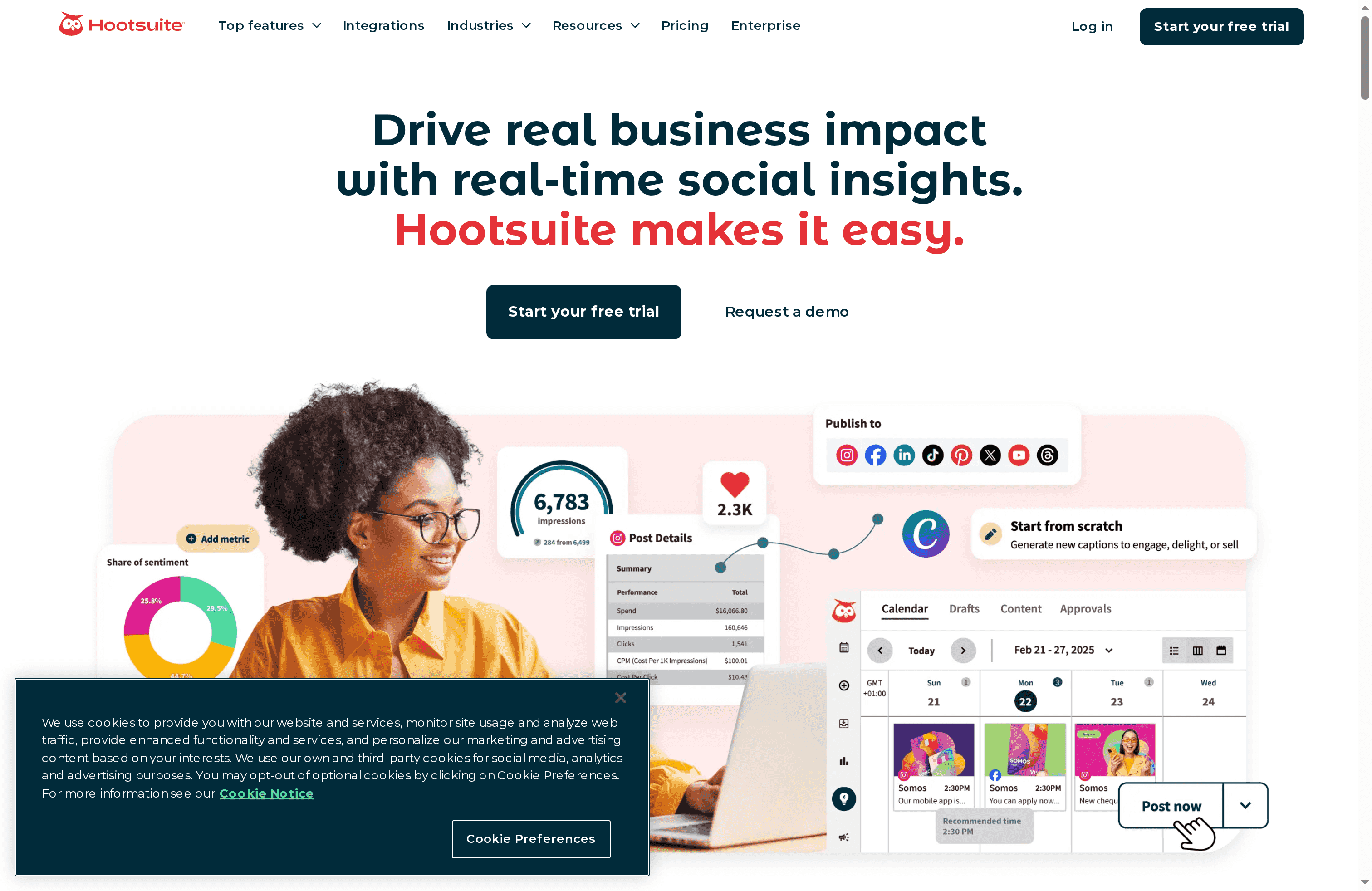
Hootsuite is an all-in-one social media management platform built to help teams schedule content, monitor conversations, and measure performance from a single dashboard. It combines AI-powered content creation and analytics with a unified inbox and social listening, making it a solid choice for agencies and marketing teams that manage multiple accounts. Expect a full feature set and enterprise-ready tools, though smaller teams may find the pricing and learning curve restrictive.
Core Features
Hootsuite provides a social content calendar and scheduling engine, real-time social insights and analytics, content creation tools that include Canva templates plus AI caption and hashtag suggestions, a unified inbox for messages and comments, and social listening with trend discovery streams powered by AI. These features let you plan, publish, engage, and analyze without switching platforms, all inside a centralized dashboard designed for collaboration and scalability.
Short. Clear.
Pros
- Comprehensive feature set: Hootsuite bundles scheduling, listening, engagement, and analytics into one platform so teams can run end-to-end social programs without stitching tools together.
- AI-assisted content workflows: Built-in AI for caption and hashtag generation speeds up post creation and helps maintain consistency across accounts.
- Wide integration ecosystem: With support for over 100 tools and platforms, Hootsuite easily ties into your existing marketing stack and content sources.
- Team collaboration and multi-account management: The platform supports role-based collaboration and multiple accounts, which simplifies agency workflows and approval processes.
- Robust reporting and analytics: Detailed, exportable analytics let you track performance, demonstrate ROI, and refine strategy with data-driven insights.
Cons
- Pricing can be expensive for smaller teams or individuals: The starting cost and higher-tier features may put Hootsuite out of reach for solo creators or small businesses on tight budgets.
- Steeper learning curve for new users: The breadth of functionality requires time and training to master, especially for users who only need basic scheduling.
- Advanced features gated by plan tier: Some of the most powerful capabilities, such as in-depth listening or enterprise reporting, are only available on higher-priced plans.
Who It’s For
Hootsuite is best for businesses, social media managers, marketing teams, and agencies that need a single, scalable platform to coordinate multiple accounts and collaborators. If you manage client portfolios, run cross-platform campaigns, or require robust analytics and integrations, Hootsuite fits well. If you’re an individual creator primarily focused on simple scheduling and organic growth, it may feel like overkill.
Unique Value Proposition
Hootsuite’s core advantage is consolidation: it replaces several point tools with a unified dashboard that covers content creation, scheduling, engagement, listening, and analytics. The AI enhancements accelerate creative tasks and trend discovery, while the extensive integrations and collaboration features make it a reliable backbone for team-driven social strategies.
Real World Use Case
A social media manager uses Hootsuite to schedule a month’s worth of posts across Instagram, Twitter, and LinkedIn, monitor brand mentions in real time via listening streams, route incoming messages to the right team members through the unified inbox, and generate weekly performance reports to show campaign ROI to stakeholders.
Pricing
Pricing starts from $49/month for the Standard plan, with more comprehensive plans available at higher tiers including Plus, Advanced, and Enterprise options; all paid plans offer a 30-day free trial.
Website: https://hootsuite.com
Later
At a Glance
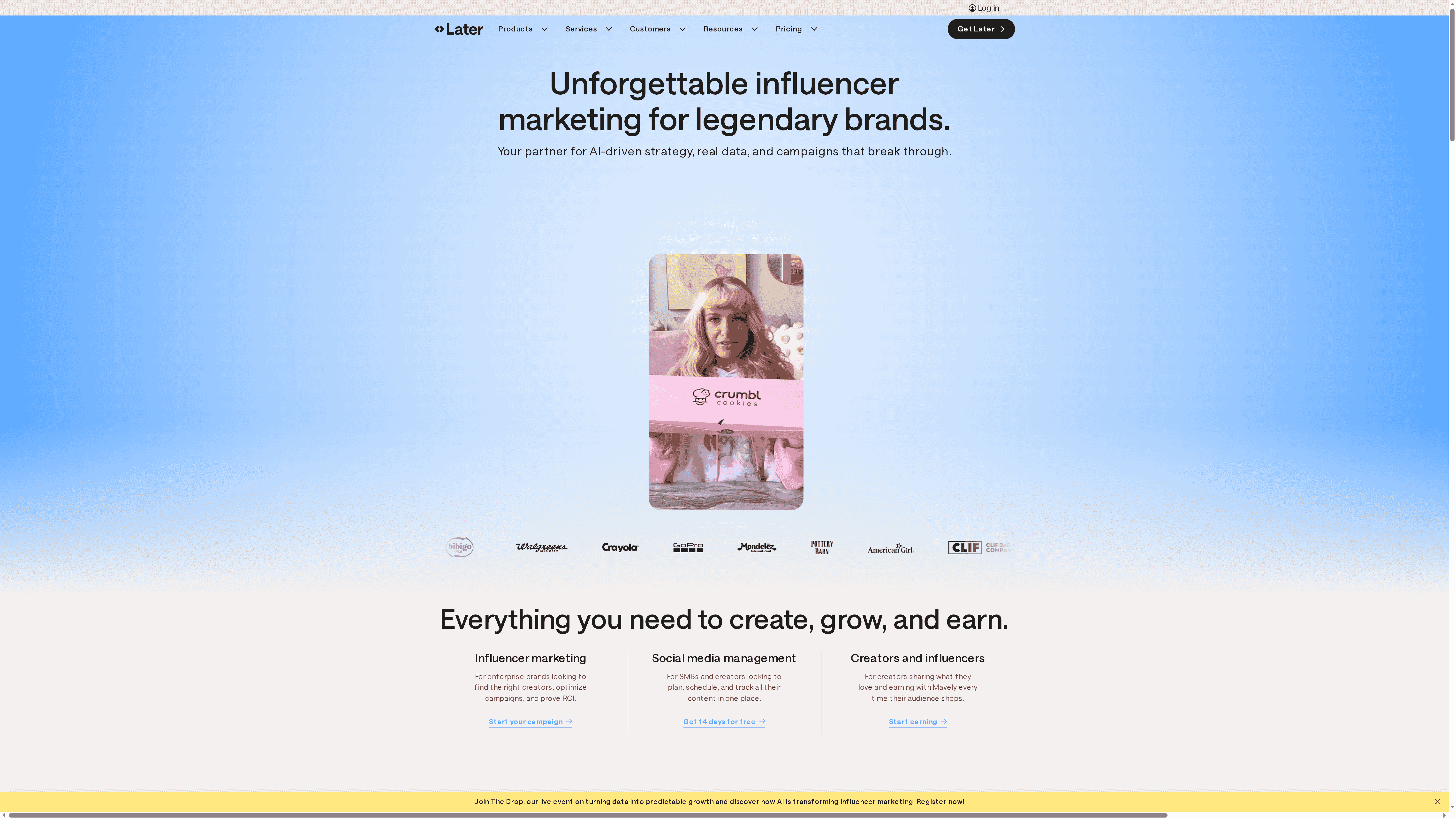
Later is a unified platform for influencer marketing and social media management that blends scheduling, analytics, and campaign management into one workspace. It’s especially strong at data-driven influencer campaigns, visual content planning, and multi-platform performance tracking. For brands and agencies that prioritize measurable results and organized workflows, Later speeds up campaign setup and reporting. However, smaller creators may find the price and gated advanced features restrictive.
Core Features
Later centralizes influencer marketing campaign management, AI-driven strategy and data insights, and social media scheduling and automation. The platform includes a visual content calendar with a drag-and-drop interface, social listening and trend analysis tools, cross-platform performance tracking and analytics, link-in-bio customization, team collaboration and workflow management, plus paid media integration for boosting influencer content. These capabilities are designed to move a campaign from discovery to execution while keeping measurement and optimization front and center.
Pros
- Comprehensive influencer marketing tools with data-driven insights help you identify and prioritize influencers based on measurable performance metrics.
- The user-friendly visual content planner simplifies calendar-level planning with drag-and-drop functionality for quick adjustments.
- Strong analytics and reporting features provide cross-platform performance tracking so you can compare results and report on ROI.
- Integration with multiple social platforms reduces manual posting and centralizes scheduling across accounts.
- Support for team collaboration and workflows makes it easier for agencies and in-house teams to coordinate content approval and campaign tasks.
Cons
- Pricing may be high for small businesses or individual creators, which can limit access for budget-conscious users.
- Some advanced features may require higher-tier plans, so full functionality often depends on upgrading.
- Limited free features or trial period means you have less time to evaluate the platform before committing to a paid plan.
Who It’s For
Later targets brands, agencies, and social media managers who need an all-in-one solution for influencer marketing and social media operations. If you manage multi-channel campaigns, coordinate teams, and require measurable reporting to prove ROI, Later fits well. If you’re an individual creator on a tight budget, you may want to compare entry-level options first.
Unique Value Proposition
Later’s core strength is combining influencer campaign management with robust scheduling and analytics in a single interface. The platform’s AI-driven insights and social listening tools give campaign teams the context to choose the right partners and optimize content based on trends and performance data.
Real World Use Case
A brand uses Later to identify suitable influencers using data insights, run multi-channel campaigns from a unified calendar, and track performance across platforms to understand which partnerships deliver the best ROI. The team iterates quickly because analytics and scheduling live in the same place.
Pricing
Plans start with a Starter plan at $18.75/month (billed yearly), a Growth plan at $37.50/month, and a Scale plan at $82.50/month, with options for annual billing and add-ons. Keep in mind that certain advanced capabilities are typically reserved for higher-tier plans.
Website: https://later.com
Sprout Social
At a Glance
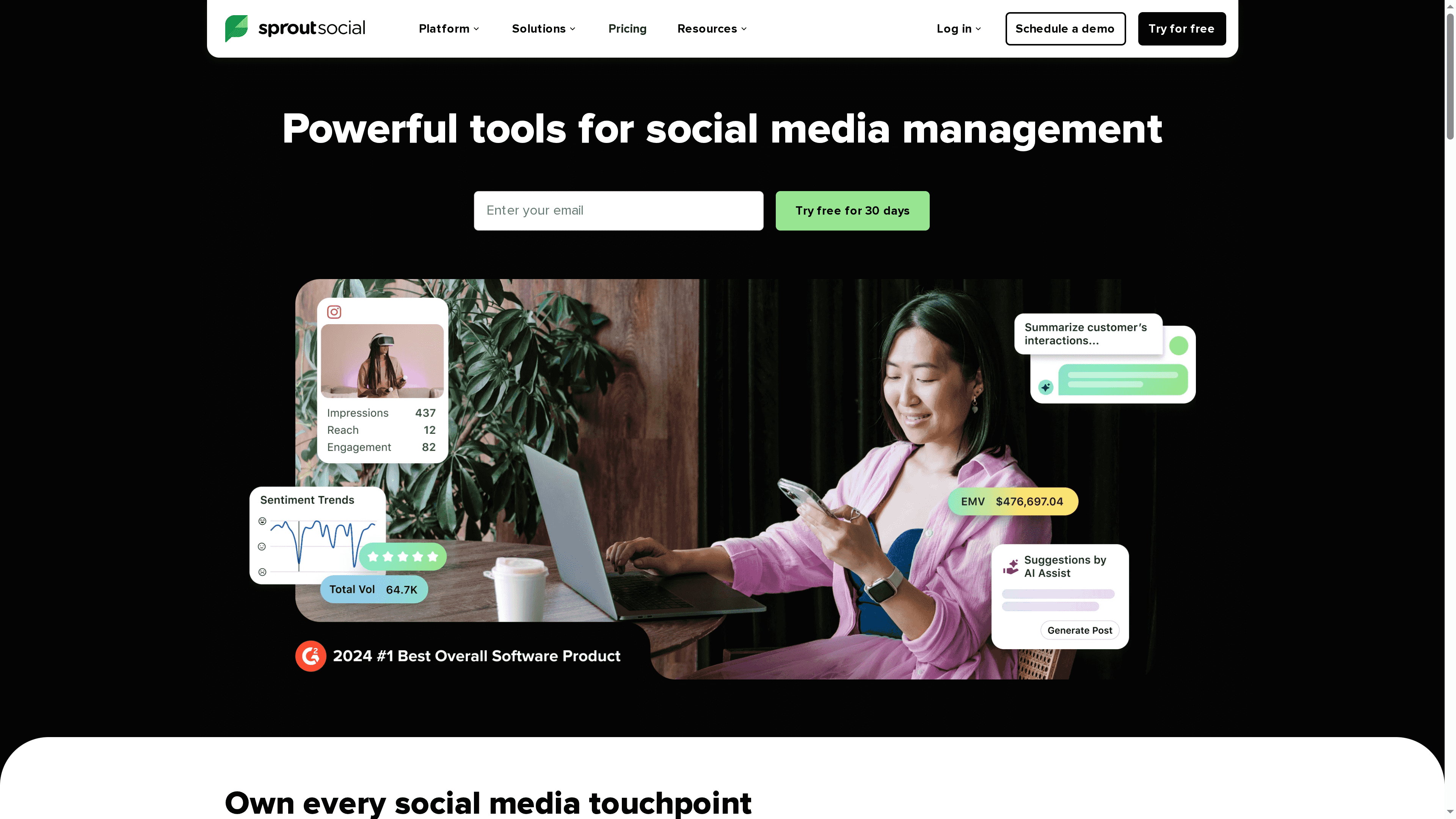
Sprout Social is a full-featured social media management platform aimed at teams that need planning, engagement, and analytics in a single dashboard. It pairs scheduling and content planning with AI-powered replies and robust reporting, which makes it easier to run coordinated campaigns across multiple profiles. The platform leans toward medium and large teams rather than solo creators, and it comes with a 30-day free trial so you can validate value before committing.
Core Features
Sprout Social centralizes the essential workflows marketers and social teams rely on: plan and schedule content, engage with customers using AI-powered replies, analyze performance through built-in analytics, discover industry trends via real-time conversations, and connect across leading social platforms with integrations. These capabilities are organized to support both day-to-day community management and strategic analysis, so teams can move from publishing to insight without copying data between tools.
Pros
- Comprehensive social media management features: Sprout Social combines scheduling, engagement, listening, and analytics into a single platform so teams avoid juggling multiple apps.
- Strong analytics and reporting capabilities: The analytics tools surface performance trends and campaign metrics that inform content and paid strategy decisions.
- Ease of use with an intuitive interface: The interface is designed for teams, which speeds onboarding and reduces friction for collaborators who need quick access to insights.
- Good integrations with other platforms: Built-in integrations extend functionality and streamline workflows across commonly used social and marketing tools.
- Flexible plans for different team sizes: Multiple plan tiers and enterprise options allow organizations to choose the level of features and scale they require.
Cons
- Pricing may be high for small businesses or individual users: The per-seat cost positions Sprout Social as an investment best justified by larger teams or agencies.
- Some features may be complex for new users: Advanced analytics and add-on modules can create a steeper learning curve for teams without a dedicated social analyst.
- Limited information on customization options in the basic plans: Basic tiers may not include the deeper customization or add-ons that some organizations need for specialized reporting.
Who It’s For
Sprout Social is best suited for medium to large businesses, agencies, and marketing teams that manage multiple social accounts and require coordinated publishing, customer engagement, and cross-channel reporting. If you need enterprise-level controls, team collaboration, and consistent analytics across profiles, Sprout Social delivers the structure and scale to support those workflows.
Unique Value Proposition
Sprout Social’s strength is consolidation: it brings planning, AI-assisted engagement, listening, and analytics into a single platform designed for team workflows. That unified approach reduces context switching and helps teams translate day-to-day interactions into measurable strategy.
Real World Use Case
A consumer services team uses Sprout Social to plan and schedule content across several brand profiles, respond to customer inquiries with AI-supported replies, and analyze engagement metrics to optimize post timing and messaging.
Pricing
Plans start at $199 per seat/month for Standard, $299 per seat/month for Professional, and $399 per seat/month for Advanced, with custom enterprise plans also available. A 30-day free trial is offered so teams can evaluate the platform before buying.
Website: https://sproutsocial.com
Buffer
At a Glance
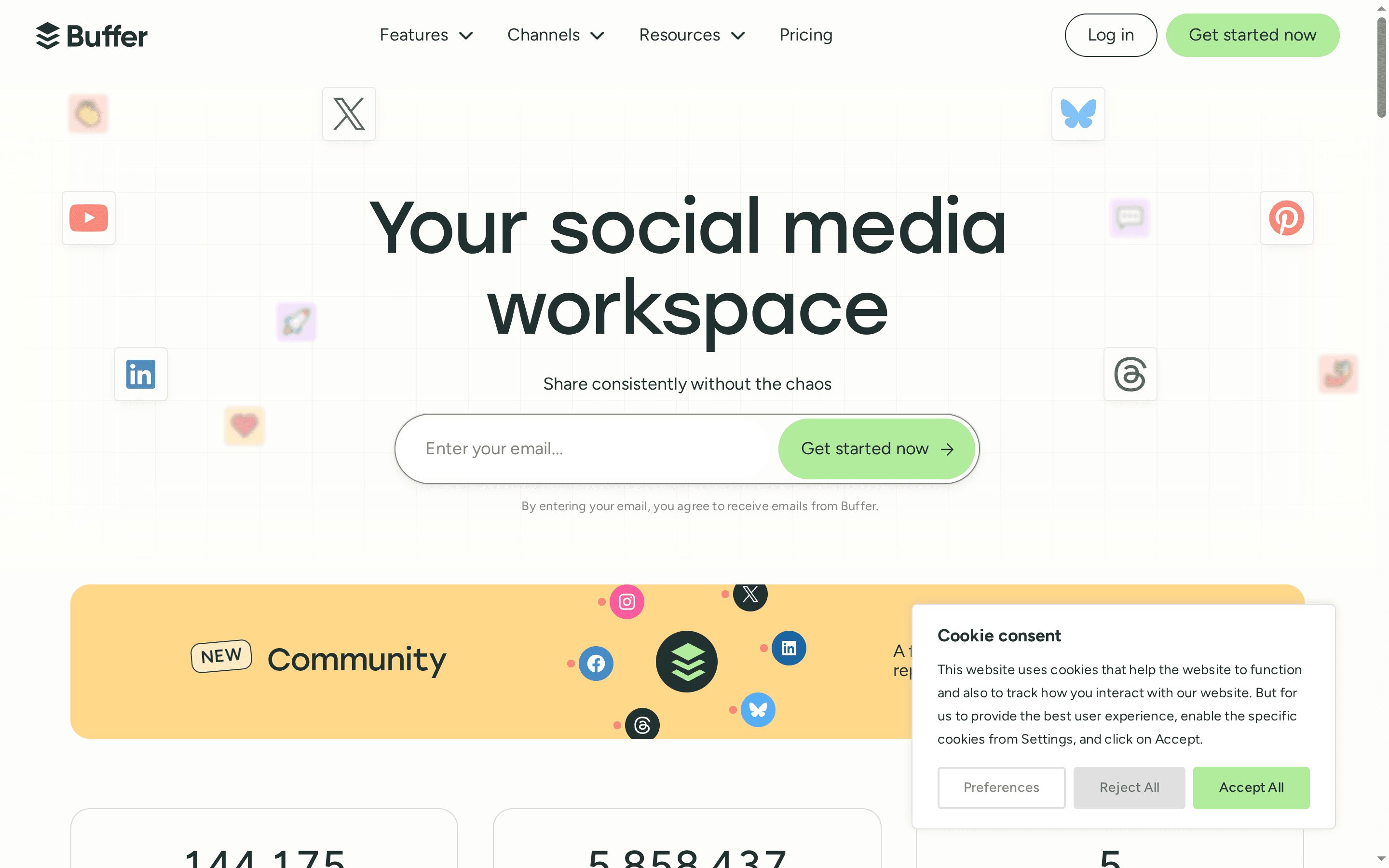
Buffer is a straightforward social media management tool that centralizes scheduling, publishing, engagement, and analytics into one dashboard. It supports major platforms — including Facebook, Instagram, TikTok, and LinkedIn — and adds AI-assisted content creation to speed up post writing. If you need a reliable, scalable way to organize content and collaborate with a small team, Buffer delivers strong fundamentals with transparent pricing and helpful support.
Core Features
Buffer lets you schedule and publish across multiple social platforms from a single calendar, organize and repurpose content with a built-in AI assistant, and respond to audience comments quickly via its Community inbox. It offers both basic and deeper analytics to help you analyze post performance, while collaboration tools let teams draft, review, and approve content before it goes live.
Pros
- Platform breadth and integrations: Buffer supports multiple social channels, so you can manage Facebook, Instagram, TikTok, LinkedIn, and more without switching tools. This saves time and reduces context switching when you plan multi-channel campaigns.
- Flexible plans for different users: Buffer offers tiers for individuals, small businesses, and agencies, making it easy to scale as your needs grow without a disruptive migration.
- Productivity features like AI assistance and content calendars: The AI assistant and organized calendar workflow help you produce consistent content faster and repurpose posts efficiently.
- Strong customer support and resource library: Global customer support and an extensive resource library make onboarding smoother and troubleshooting faster for busy teams.
- Accessible pricing and free trial options: With a free plan and low-cost entry tiers, you can test Buffer’s core functions before committing to a paid plan.
Cons
- Some advanced analytics and features require paid plans: If you need in-depth reporting or premium capabilities, you’ll likely move beyond the free tier to a paid plan.
- Limited channel capacity on free and lower-tier plans: Smaller plans restrict how many channels you can connect, which can be limiting for users managing several accounts.
- Initial interface complexity: Because Buffer packs multiple features into one product, new users may find the interface overwhelming at first and need time to learn the workflow.
Who It’s For
Buffer is ideal for individuals, small businesses, agencies, and content creators who want a clear, centralized way to schedule posts, collaborate on content, and monitor results. If you manage multiple platforms and value straightforward workflows over highly specialized enterprise features, Buffer fits well.
Unique Value Proposition
Buffer combines multi-platform scheduling, an AI writing assistant, community engagement tools, and collaborative approval workflows into a single, approachable dashboard — all at accessible price points. It prioritizes ease of use and predictable pricing for creators and small teams.
Real World Use Case
A small business uses Buffer to schedule weekly posts across Facebook, Instagram, and LinkedIn, track engagement with basic analytics, and route drafts through a two-step approval process so marketing and leadership sign off before publishing.
Pricing
Free plan available; Essentials plan starts at $5/month; Team plan starts at $10/month, with discounts for annual billing.
Website: https://buffer.com
Waveroom
At a Glance
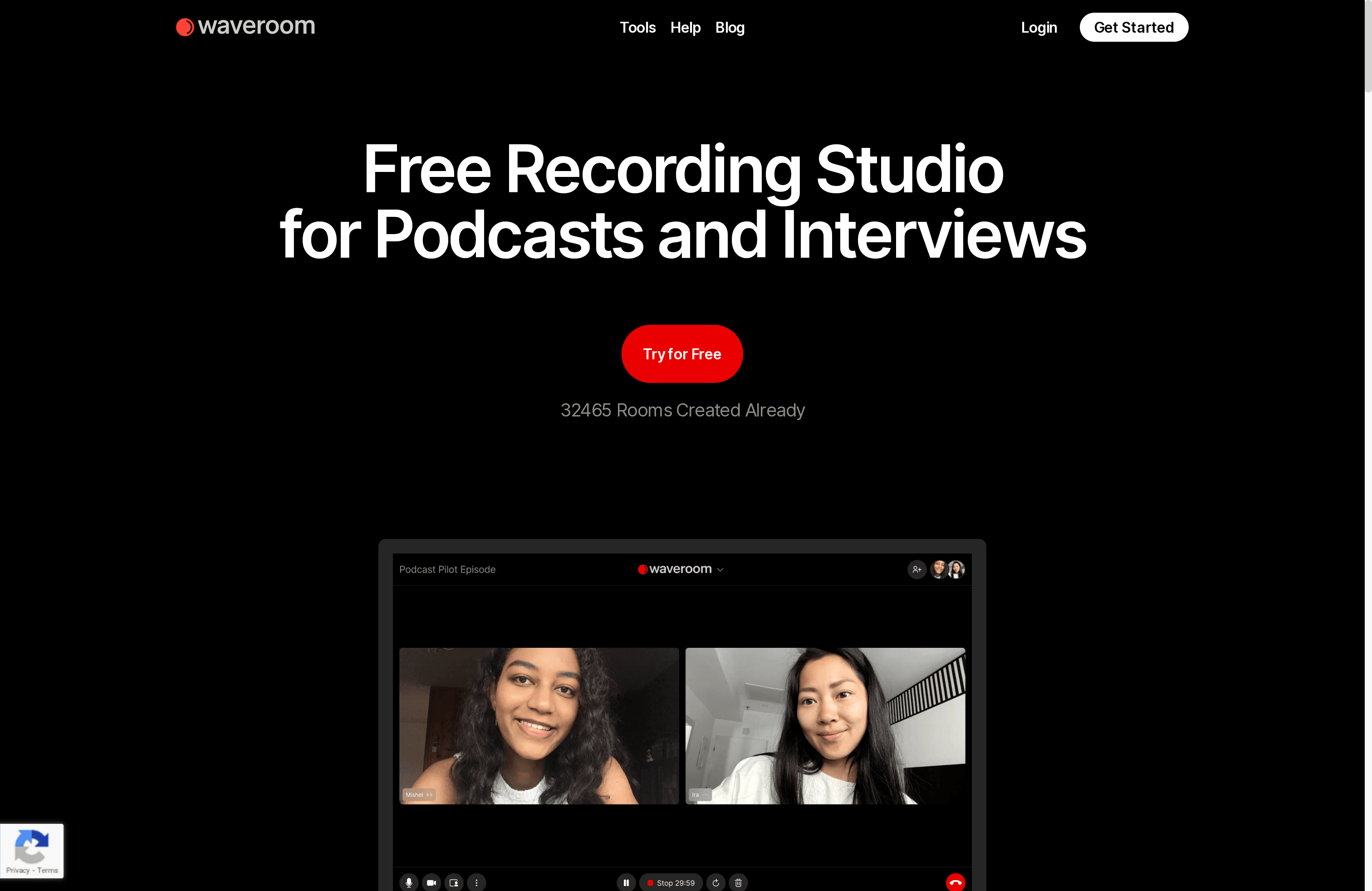
Waveroom is a browser-based remote recording studio built for creators who need reliable, multi-track audio and video captures without downloads. It supports up to 5 participants on the free tier, delivers uncompressed WAV audio at 48 kHz and video up to 2k, and includes built-in noise removal to improve clarity. If you prioritize ease of use and studio-grade files from remote contributors, Waveroom is a strong, low-friction option. It’s not yet a full editor, though — so plan to pair it with your favorite post-production tools.
Core Features
Waveroom focuses on high-quality remote capture: simultaneous multi-track audio and video recording with separate tracks per participant, background noise removal, and both cloud and local storage options for reliability. The platform records video up to 2k resolution and preserves uncompressed audio in WAV 48 kHz format, which ensures editors have clean source material. It also supports session sharing for simple collaboration and promises upcoming automated editing, gap removal, and speech-to-text features to streamline post-production.
No fluff. Just capture.
Pros
- Free tier for small groups: You can host sessions with up to 5 participants at no cost, which makes it easy to test or run small podcasts without upfront investment.
- Studio-grade audio and high-res video: Waveroom records uncompressed WAV audio at 48 kHz and video up to 2k, providing editors with professional-quality source files.
- Browser-based convenience: The platform runs in the browser with no downloads required, simplifying guest onboarding and reducing technical friction.
- Collaboration-friendly features: Session links and cloud recording let you share sessions and ensure remote contributors’ tracks are collected reliably.
- Roadmap of automation: Planned features like automated editing and gap removal suggest Waveroom will shrink editing time once they roll out.
Cons
- Session length cap: Sessions are limited to 120 minutes by default, which can interrupt longer interviews or recording sessions unless you manage extensions.
- Participant limits on free plan: The free plan supports only up to 5 participants, so larger roundtables require paid plans.
- Editing features are still pending: Several convenience tools—simplified editing, gap removal, and automated workflows—are listed as upcoming rather than available today, which means you’ll still need external editing software now.
Who It’s For
Waveroom is ideal for content creators, podcasters, educators, and small remote teams who need a quick, high-fidelity way to capture conversations without software installs. If you regularly invite remote guests and want separate tracks for each speaker to simplify post-production, Waveroom fits naturally into that workflow.
Unique Value Proposition
Waveroom’s core promise is reliable, studio-quality remote capture delivered in a browser—no downloads, clean multi-track files, and built-in noise removal—so creators can focus on content rather than connection headaches. Its emphasis on uncompressed audio and cloud redundancy makes it especially valuable for shows where audio fidelity matters.
Real World Use Case
A podcast host invites two remote guests, records each person to individual WAV tracks at 48 kHz and 2k video, uses the built-in noise removal to clean background hiss, and then exports the files for editing in their DAW. The result: cleaner edits and fewer retakes.
Pricing
Free for up to 5 participants; Premium and enterprise plans are available with expanded features and higher participant limits.
Website: https://combin.com
SocialBee
At a Glance
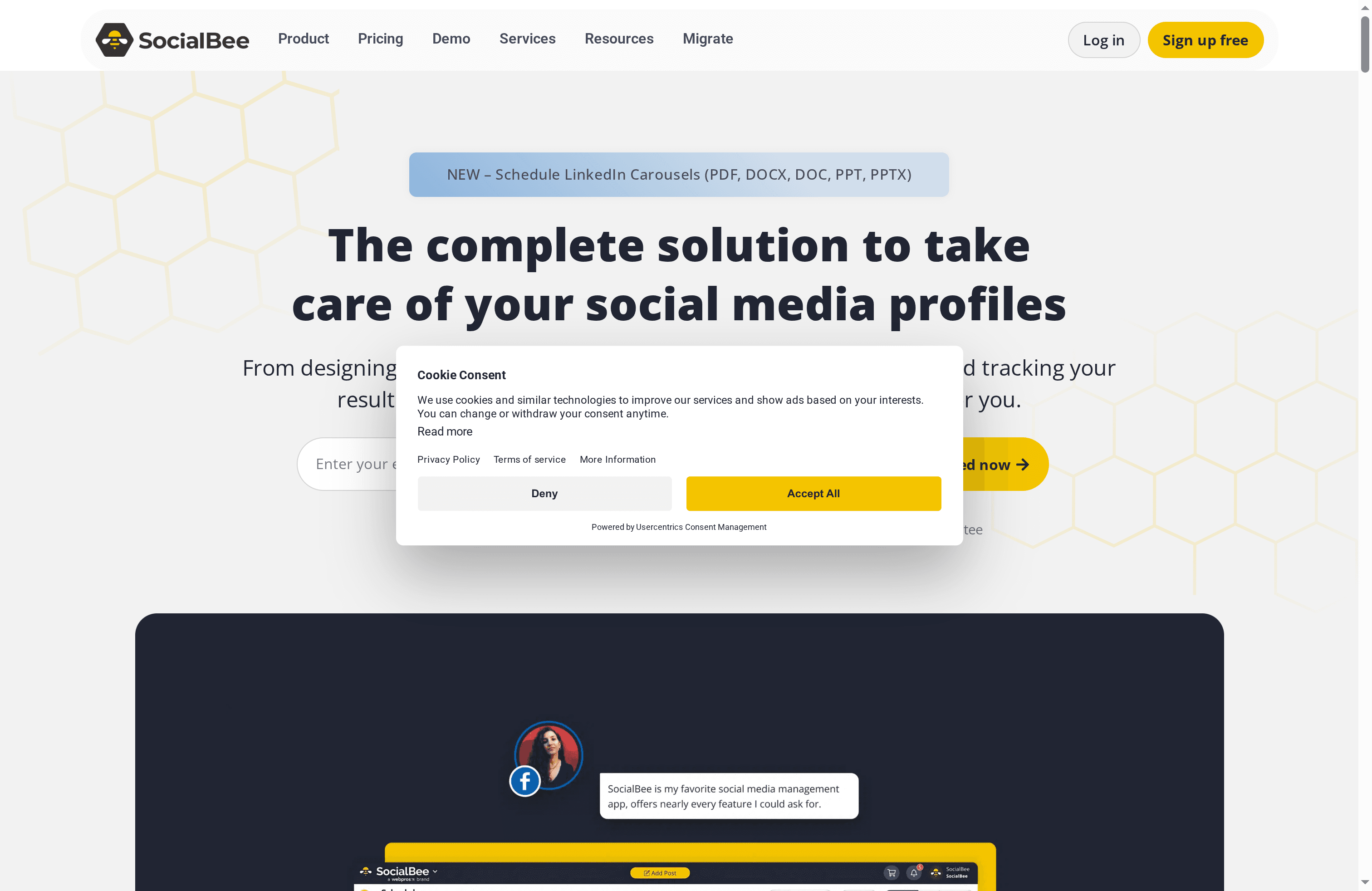
SocialBee is an AI-powered social media management platform designed to simplify content creation, scheduling, and team collaboration for small businesses and agencies. Its Copilot assistant speeds up post writing while integrations with Canva, Unsplash, and Giphy streamline asset sourcing. The interface focuses on a visual calendar and best-time suggestions, making consistent posting less stressful. Overall, it’s a practical choice for teams that manage multiple client accounts and need reliable automation without a steep technical commitment.
Core Features
SocialBee combines an AI content assistant (Copilot) with a visual scheduling calendar and channel-specific post customization. It integrates directly with Canva, Unsplash, and Giphy for quick asset access, offers best-time posting suggestions, and supports multiple social accounts and team workflows with approvals. The platform also delivers audience analytics, growth metrics, and PDF reports for performance analysis, so you can both automate publishing and measure impact across clients or brands.
Pros
- Fast content creation with AI: The Copilot AI assistant helps generate captions and post ideas quickly, reducing the time spent staring at a blank screen.
- Built for multi-account management: SocialBee supports multiple social profiles and networks, which makes it straightforward to manage several clients or brand channels from one dashboard.
- Actionable analytics and reporting: Built-in audience analytics and PDF reports let you track growth metrics and share performance summaries with stakeholders.
- Team-friendly collaboration features: Approval workflows and team roles improve coordination between creators, managers, and clients, keeping content consistent and signed off.
- Handy integrations for creative assets: Native connections to Canva, Unsplash, and Giphy speed up content assembly so you spend less time switching apps.
Cons
- Pricing can be costly at scale: The platform’s higher-tier plans or agency bundles can become expensive for larger teams or extensive profile lists.
- Advanced capabilities behind paywalls: Some of the more powerful features and add-ons are only available on higher-tier plans, which can limit functionality for budget users.
- Initial learning curve for automation: New users not familiar with social automation and workflows may need time to learn the platform and optimize their setup.
Who It’s For
SocialBee is ideal for small businesses, social media managers, and boutique agencies that handle multiple accounts and want to centralize content creation, scheduling, and reporting. If you need an AI boost for caption writing, a visual calendar for planning, and clear approval paths for team members or clients, SocialBee fits that brief.
Unique Value Proposition
SocialBee’s strength lies in combining AI-driven content creation with practical scheduling and team workflows, plus direct access to popular creative asset libraries. That blend makes it easier to maintain posting consistency across multiple clients while keeping content production efficient and trackable.
Real World Use Case
A small marketing agency uses SocialBee to create client calendars, generate caption drafts with Copilot, schedule posts at recommended times, and export PDF performance reports for monthly client reviews, which saves time and improves consistency across client accounts.
Pricing
SocialBee offers monthly and yearly plans with discounts for annual billing and seasonal promotions like Black Friday. Plans start as low as $8.70 per month (when billed yearly) and scale up to comprehensive agency packages that can cost several hundred dollars per month depending on account volume and features.
Website: https://socialbee.com
Social Media Management Tools Comparison
Here is a comprehensive comparison of various social media management tools, summarizing their key features, advantages, drawbacks, and pricing to help you decide which platform best suits your needs.
| Product | Key Features | Pros | Cons | Pricing |
|---|---|---|---|---|
| linktodm | DM, comments, story interaction, lead capture, AI replies | Centralizes engagement, unlimited accounts | Some features might be advanced for beginners | Starting at $10/month, 40% off yearly plan |
| Hootsuite | Scheduling, analytics, AI content tools | Comprehensive features, robust reporting | Pricey for small teams, learning curve | Starts at $49/month, 30-day trial |
| Later | Influencer campaigns, visual planning | Strong analytics, drag-and-drop planner | High price for small businesses | Starts at $18.75/month, billed yearly |
| Sprout Social | AI-powered engagement, analytics, scheduling | All-in-one management, intuitive interface | High cost for smaller businesses | Starts at $199/seat/month, 30-day trial |
| Buffer | Scheduling, publishing, AI assistant | Multi-platform support, good pricing structure | Advanced features require paid plan | Essentials plan starts at $5/month |
| Waveroom | Remote multi-track audio/video capture | Browser-based, high-quality recording | Editing features still in development | Free for up to 5 participants |
| SocialBee | AI content assistant, scheduling, analytics | Fast content creation, multi-account support | Expensive at high scale | Starts at $8.70/month billed yearly |
Boost Your Instagram Growth Effortlessly with LinktoDM
The article “7 Best Instagram Growth Tools for Marketers – Comparison 2025” highlights common challenges such as managing high volumes of comments and DMs, maintaining personalized engagement, and capturing leads efficiently. These pain points can leave creators and marketers overwhelmed and struggling to keep their audience engaged without spending hours on manual replies. LinktoDM is designed specifically to solve these problems by automating your Instagram interactions across comments, DMs, and stories while using AI-powered responses to keep conversations natural and personal.
If your goal is to increase followers, generate leads, and build stronger connections without losing time or risking compliance issues, LinktoDM offers a comprehensive solution with pre-built templates and advanced analytics. Content creators, influencers, and social media marketers find this platform essential for scaling their engagement safely and effectively.
Ready to transform your Instagram growth strategy? Discover how LinktoDM can automate your engagement and help you turn every interaction into an opportunity for growth.
Take control of your Instagram audience today by exploring our Instagram automation features and see why so many creators trust LinktoDM to grow their communities. Start your journey now and experience the power of efficient, personalized automation at https://linktodm.com.
Frequently Asked Questions
What are the top features to look for in Instagram growth tools for marketers?
Effective Instagram growth tools should offer automation for direct messages, comment management, and audience analytics. Look for tools that also provide lead capture and AI-driven feedback to enhance user engagement. Start by evaluating tools based on their full suite of features compared to your marketing needs.
How can I measure the success of my Instagram growth strategy using these tools?
To measure success, track key metrics like follower growth, engagement rates, and lead generation before and after implementing a tool. Set specific goals, such as increasing followers by 25% within three months, and regularly analyze these metrics to adjust your approach. Use the analytics provided by these tools for insights into performance.
Can I automate my responses on Instagram with these growth tools?
Yes, many Instagram growth tools include features that allow for automated responses to comments and direct messages. Set up templates for common inquiries, and customize AI replies to maintain a personal touch while saving time. This can help you manage large volumes of interactions more efficiently.
What is the average cost of the Instagram growth tools compared in this article?
The cost of Instagram growth tools varies widely, typically ranging from free plans with limited features to premium subscriptions starting at around $10 per month. Assess your budget and feature needs to determine the right tool for your marketing budget, and consider any ongoing promotions or discounts.
How quickly can I expect to see results from using an Instagram growth tool?
Results can vary depending on the tool and your level of engagement, but many users report noticeable improvements in follower growth and interaction rates within 30–60 days. To optimize results, consistently apply best practices and utilize the tool’s features regularly to engage your audience effectively.

'%3e%3cpath%20d='M14.8156%200H1.18125C0.528125%200%200%200.515625%200%201.15313V14.8438C0%2015.4813%200.528125%2016%201.18125%2016H14.8156C15.4688%2016%2016%2015.4813%2016%2014.8469V1.15313C16%200.515625%2015.4688%200%2014.8156%200ZM4.74687%2013.6344H2.37188V5.99687H4.74687V13.6344ZM3.55938%204.95625C2.79688%204.95625%202.18125%204.34062%202.18125%203.58125C2.18125%202.82188%202.79688%202.20625%203.55938%202.20625C4.31875%202.20625%204.93437%202.82188%204.93437%203.58125C4.93437%204.3375%204.31875%204.95625%203.55938%204.95625ZM13.6344%2013.6344H11.2625V9.92188C11.2625%209.0375%2011.2469%207.89687%2010.0281%207.89687C8.79375%207.89687%208.60625%208.8625%208.60625%209.85938V13.6344H6.2375V5.99687H8.5125V7.04063H8.54375C8.85938%206.44063%209.63438%205.80625%2010.7875%205.80625C13.1906%205.80625%2013.6344%207.3875%2013.6344%209.44375V13.6344Z'%20fill='%23B1B1B1'/%3e%3c/g%3e%3cdefs%3e%3cclipPath%20id='clip0_6304_15414'%3e%3crect%20width='16'%20height='16'%20fill='white'/%3e%3c/clipPath%3e%3c/defs%3e%3c/svg%3e)

