




Ever sent a message on Instagram and never heard back — even though the person seemed interested?
This happens more often than you think, and those quiet chats can quickly turn into lost engagement and missed opportunities. Manually checking and following up with every conversation is nearly impossible as your inbox grows. That’s why automated follow-up messages and reminder DMs on Instagram are so powerful. With smart automation, you can gently re-engage users, restart inactive chats, and keep conversations alive without sending each message yourself. It’s an easy way to improve response rates, boost engagement, and turn cold conversations into real results.
How Follow-Up Messages on Instagram Helps You Stay Connected with Your Audience
Many Instagram conversations start strong but unexpectedly fade away. It doesn’t always mean the person isn’t interested — most of the time, they’re just busy or distracted. Follow-up messages help you reconnect with people who have already shown interest in your content, products, or services. A simple reminder can restart the conversation without feeling pushy. It shows attentiveness, builds trust, and increases the chances of getting a reply. Whether you’re a creator, small business, or brand, consistent follow-ups turn quiet chats into meaningful interactions, boost engagement, and help you build stronger relationships with your audience over time. It helps you to :
- Increase response rates by gently reminding users who forgot to reply
- Keep conversations alive instead of letting interested leads go cold
- Build trust and professionalism by showing consistency and care
- Boost engagement and conversions from people who already showed interest
- Save time with automation while still maintaining personal communication
How Instagram Follow-Up Messages Work
Once you enable Instagram follow-up messages, the system automatically checks back with your audience and sends reminder messages after a time gap you decide. This means you don’t have to manually remember who replied and who didn’t — the automation handles it in the background while you stay consistent and responsive.
You Control the Time Gap
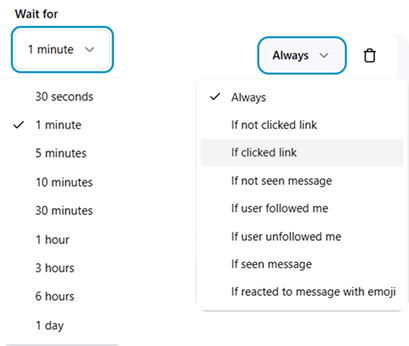
You can decide how soon or how late the follow-up should be sent. The delay is fully customizable, so you can match it to your communication style. For example, you can choose:
- Seconds or minutes for quick reminders
- 30 minutes to 1 hour for gentle nudges
- Several hours for casual reminding
- Up to 1 day for slower, non-pushy follow-ups
This flexibility helps your messages feel natural instead of rushed or spammy.
Smart Conditions (When Follow-Ups Should Send)
Follow-up messages don’t have to be sent to everyone. You can set conditions so reminders only go out when it makes sense. Some common options include:
- Always send a follow-up
- If the user didn’t click the link
- If the user clicked the link
- If the message wasn’t seen
- If the user followed you
- If the user unfollowed you
- If the message was seen
- If the user reacted with an emoji
These conditions make your automation feel intelligent and personalized, not robotic.
How to Enable Follow-Up Messages
You have two ways to activate follow-ups:
-
During New Automation Creation
While setting up an automation, simply turn on Follow-Up Messages
Choose your time delay
Select your conditions
Write your reminder message -
For Existing Automations
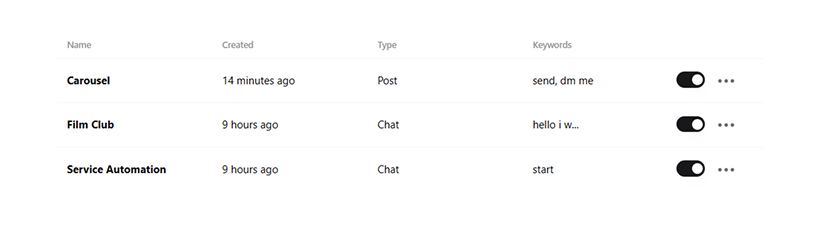
Go to your Automation Dashboard
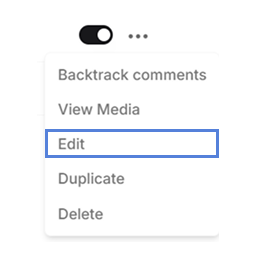
Tap the three dots on the automation you want
Click Edit
Add or modify Follow-Up Messages
Step-by-Step Guide to Set Up Instagram Follow-Up DM Automation
Note: Skip to Step 6, If you’ve already created an automation or want to add follow-ups to an existing one.
Step 1: Sign Up on LinktoDM
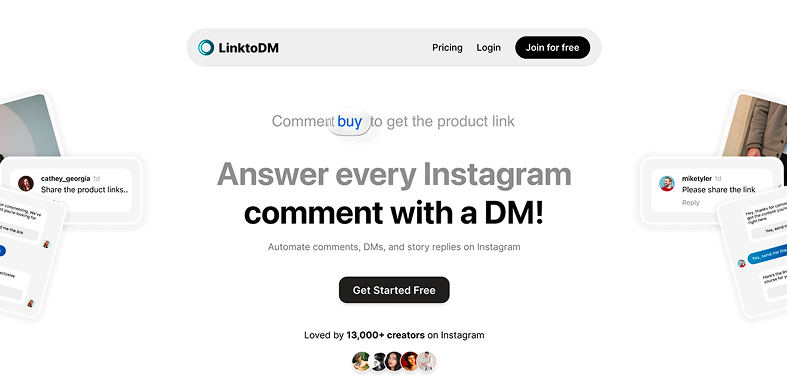
- Visit the LinktoDM website.
- Click “Join for Free”.
Step 2: Connect Your Instagram Account
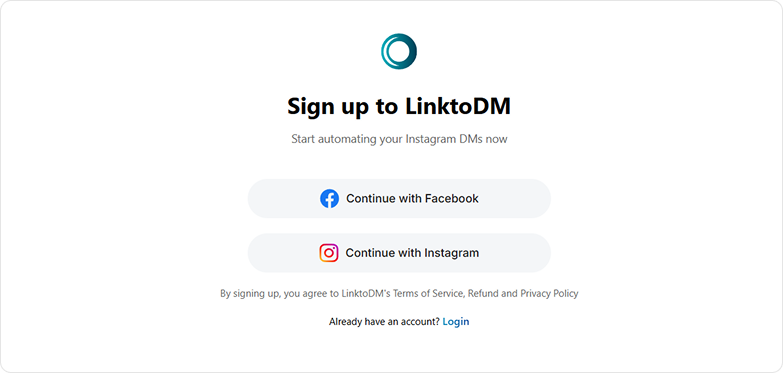
- Choose an Option.
- Login with your credentials.
- Grant required permissions so automation can work properly.
- Make sure your account is a creator/business account before signing up.
- But don’t worry - even if you have a personal account, you can change it to a creator/business account during the sign up process. For more info, click here.
Step 3: Choose Your Automation Type

- Select where you wish to apply follow-up message feature
Step 4: Select the Post You Wish to Add Follow-Ups To
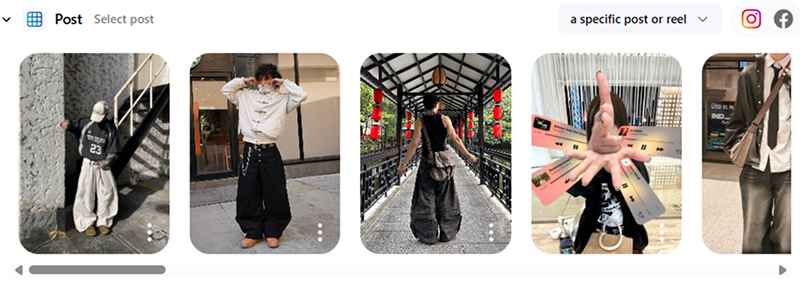
- Select the post you want to automate from your Instagram feed.
- Create a new automation by following the guided setup steps.
- Choose your trigger (comment keywords, all comments, or specific phrases).
- Customize your auto-reply message to match your tone or offer.
- Use engagement features like “Ask to Follow” to grow your audience.
Click here to automate your post
Step 5: Add Follow-Up Messages
-
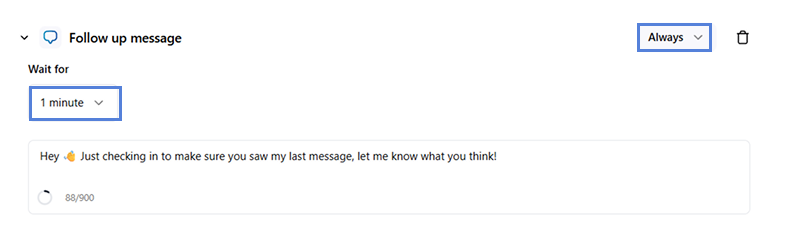
Scroll down while setting up the automation to find this button.
Click on it to open the following configuration options.
-
Tap the ‘1 minute’ menu to set how long the system should wait before sending the follow-up, and tap ‘Always’ to choose the condition that triggers the message.
-
Write the follow-up message you want users to receive in the text box — and that’s it, your follow-up message is ready.
You can add as many follow-up messages as you like.
Step 6: Already Created an Automation? Here’s How to Add Follow-Ups to an Existing Automation
-
Go to the automation dashboard.
-
Click on the three dots on the right and select “Edit” option.
- This will bring you back to ‘Step 5’, here you can edit, add and delete your follow-up messages.

'%3e%3cpath%20d='M14.8156%200H1.18125C0.528125%200%200%200.515625%200%201.15313V14.8438C0%2015.4813%200.528125%2016%201.18125%2016H14.8156C15.4688%2016%2016%2015.4813%2016%2014.8469V1.15313C16%200.515625%2015.4688%200%2014.8156%200ZM4.74687%2013.6344H2.37188V5.99687H4.74687V13.6344ZM3.55938%204.95625C2.79688%204.95625%202.18125%204.34062%202.18125%203.58125C2.18125%202.82188%202.79688%202.20625%203.55938%202.20625C4.31875%202.20625%204.93437%202.82188%204.93437%203.58125C4.93437%204.3375%204.31875%204.95625%203.55938%204.95625ZM13.6344%2013.6344H11.2625V9.92188C11.2625%209.0375%2011.2469%207.89687%2010.0281%207.89687C8.79375%207.89687%208.60625%208.8625%208.60625%209.85938V13.6344H6.2375V5.99687H8.5125V7.04063H8.54375C8.85938%206.44063%209.63438%205.80625%2010.7875%205.80625C13.1906%205.80625%2013.6344%207.3875%2013.6344%209.44375V13.6344Z'%20fill='%23B1B1B1'/%3e%3c/g%3e%3cdefs%3e%3cclipPath%20id='clip0_6304_15414'%3e%3crect%20width='16'%20height='16'%20fill='white'/%3e%3c/clipPath%3e%3c/defs%3e%3c/svg%3e)

