



Over 200 million business accounts compete for attention on Instagram each day, yet only a small fraction truly stand out. Your Instagram feed is more than just a gallery of images. It shapes first impressions, attracts loyal followers, and sets your brand apart from the noise. By mastering a clear visual identity and taking a strategic approach, you can create an Instagram presence that is memorable and keeps people coming back.
Quick Summary
| Key Point | Explanation |
| 1. Establish a unique visual identity | Create a cohesive aesthetic that reflects your brand and attracts followers by using consistent colors and styles. |
| 2. Define 3 to 5 content themes | Select core topics for your posts that align with your brand message and engage your audience effectively. |
| 3. Utilize a content calendar | Plan your posts strategically with a calendar to maintain consistency and keep your audience engaged. |
| 4. Preview and design your feed layout | Use tools to visualize your feed arrangement, ensuring a harmonious flow and engaging aesthetics. |
| 5. Analyze performance and adapt | Monitor engagement metrics to understand audience preferences and adjust your strategy for continuous improvement. |
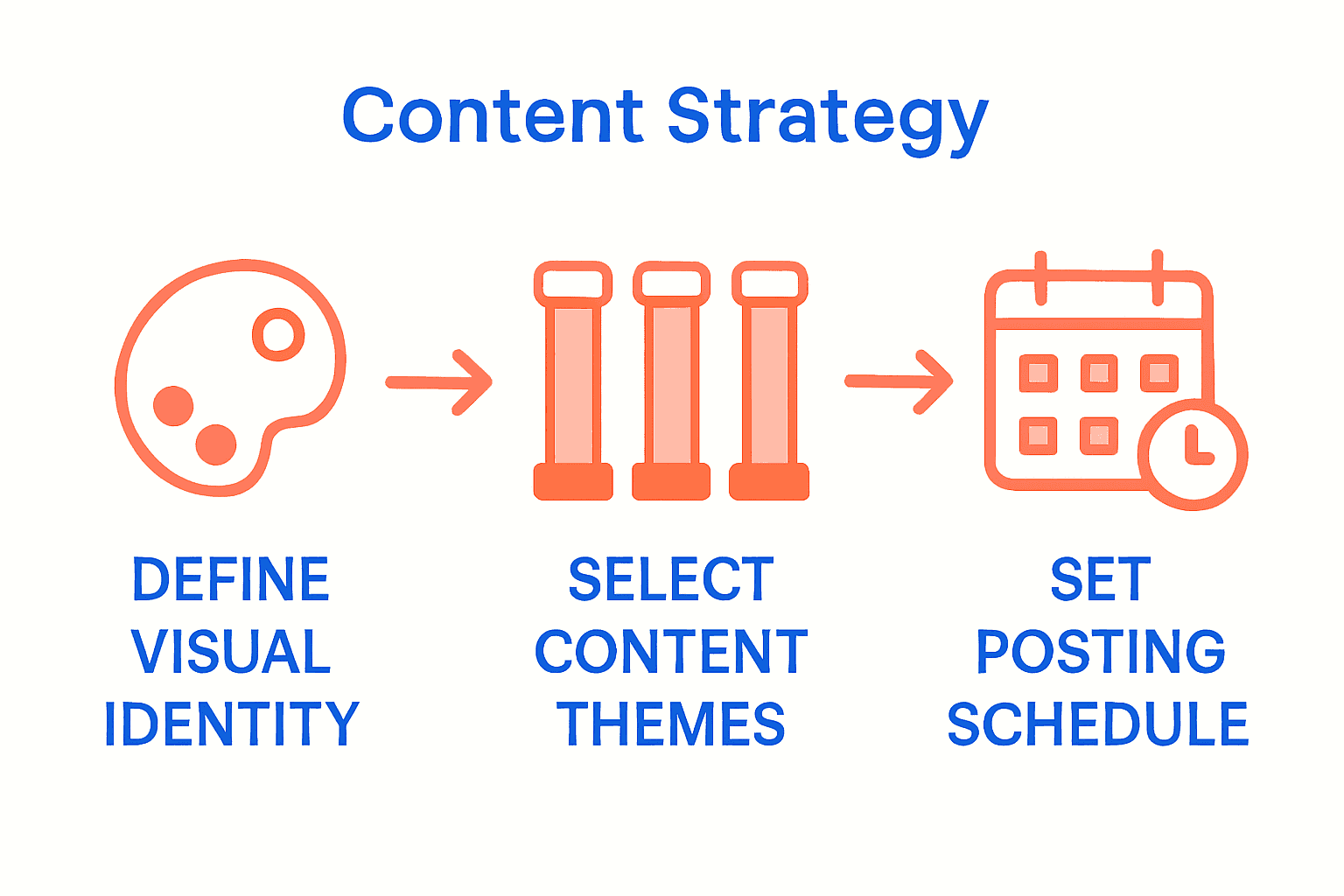
Step 1: Define your brand’s visual identity
Building a standout Instagram feed starts with creating a unique visual identity that instantly communicates who you are. This step will help you craft a cohesive aesthetic that attracts and retains followers by presenting a professional and memorable brand image.
Your visual identity goes beyond just picking pretty colors. Think of it as your brand’s signature style that speaks without words. Start by analyzing successful accounts in your niche and identifying what makes their visual presentation compelling. Are they using consistent filters? Do they maintain a specific color palette? Pay attention to the mood they create.
Create a mood board that captures your brand’s essence using tools like Canva or Pinterest. Collect images that reflect your brand personality colors, textures, and visual themes. Select 3 to 5 core colors that represent your brand and stick to them religiously. Pro tip: Use color psychology to your advantage. Blue might communicate professionalism while warm oranges suggest creativity and energy.
Consider your content types and how they’ll look together. Will you use consistent backgrounds? Stick to similar photo editing styles? Maintain uniform margins and spacing between posts? These details transform a random collection of images into a professional looking feed that tells a coherent story about your brand.
Remember that consistency is key. Your visual identity is a promise to your audience about what they can expect from your content. Once you establish your style guide stick to it across every single post to build instant recognition.
Step 2: Select and organize content themes
Now that you have established your visual identity, it’s time to create a strategic content framework that keeps your Instagram feed engaging and purposeful. Selecting and organizing content themes will help you maintain a consistent narrative that resonates with your audience and keeps them coming back for more.
As HubSpot suggests, planning your Instagram feed involves thoughtfully arranging your posts to maintain a cohesive aesthetic. Start by defining 3 to 5 core content pillars that represent your brand. These could be educational posts, behind the scenes glimpses, product showcases, customer testimonials or inspirational content. Each pillar should align with your overall brand message and provide value to your audience.
Utilize preview apps that allow you to arrange and test your post sequence before publishing. These tools help you visualize how your content will look collectively and ensure a smooth visual flow. Aim for a balanced mix of content types that prevents monotony while maintaining your established visual style. For instance, alternate between close up product shots, lifestyle images, and text based graphics to keep your feed dynamic.
Develop a content calendar to plan your posts strategically. This helps you maintain consistency and ensures you’re regularly covering all your content pillars. Consider creating a posting rhythm where specific content types appear on predictable days. This creates anticipation and helps your audience know what to expect.
Remember that your content themes are a conversation with your audience. They should feel authentic and reflect your brand’s unique personality. Experiment with different approaches but always stay true to the core message and visual identity you’ve established.

Step 3: Create a content calendar with automation tools
Transforming your Instagram strategy from random posting to strategic content delivery requires a robust content calendar backed by smart automation tools. This step will help you streamline your content planning and ensure consistent engagement with your audience.
As HubSpot suggests, utilizing specialized apps can help you design, schedule, and automate your Instagram posts. Look for tools that offer comprehensive features like post scheduling, preview layouts, and analytics tracking. When selecting an automation tool, prioritize platforms that allow you to see how your entire feed will look before publishing and provide insights into optimal posting times.
Start by mapping out your content pillars on a monthly calendar.
Assign specific themes to different days of the week. For example, Mondays could be motivational quotes, Wednesdays might showcase behind the scenes content, and Fridays could feature product highlights. This structured approach creates predictability for your audience while giving you a clear roadmap for content creation.
Use your chosen automation tool to batch create and schedule content in advance. Most platforms allow you to upload multiple posts at once and set specific publishing times. This approach not only saves time but ensures you maintain a consistent posting rhythm even during busy periods. Learn more about social media management tools that can help streamline this process.
Pro tip: Always leave room for spontaneity. While automation is powerful, your content calendar should feel flexible. Keep 20% of your content slots open for real time posts, trending topics, or unexpected creative moments that can make your feed feel authentic and dynamic.
Step 4: Design and preview your feed layout
Now that you have established your content themes and calendar, it is time to visually orchestrate your Instagram feed into a stunning visual narrative that captures attention and tells your brand story. Designing and previewing your feed layout is crucial for creating a professional and engaging visual experience that turns casual viewers into dedicated followers.
As HubSpot recommends, utilize apps like Preview and UNUM to design and preview your Instagram feed layout before publishing. These tools allow you to virtually arrange your posts and see how they will look collectively. Think of this process as creating a visual puzzle where each post is a piece that contributes to a larger, cohesive picture.
Consider implementing strategic layout techniques to make your feed visually dynamic. One popular approach is the checkerboard method where you alternate between different content types like close up shots, wide landscape images, and text graphics. Another technique is creating visual patterns using color blocking or repeating visual motifs that align with your brand identity. Experiment with different arrangements to find a layout that feels authentic to your brand while maintaining visual interest.
Pay attention to the overall color balance and visual flow of your feed. Aim to create smooth transitions between posts by considering how colors and image styles interact. Some creators use subtle color gradients or consistent editing styles to create a sense of visual harmony. Learn more about social media management tools that can help you perfect your feed aesthetics.
Remember that your feed is a living canvas. While planning is essential, remain open to creative spontaneity. Your layout should feel intentional yet flexible enough to showcase your brand’s personality and evolve with your content strategy.
Step 5: Analyze performance and adjust strategy
Successful Instagram growth is not a set it and forget it process. Continuous analysis and strategic refinement are key to transforming your feed from good to exceptional. This step will help you become a data driven content creator who understands exactly what resonates with your audience.
As HubSpot suggests, monitoring the performance of your Instagram posts is crucial for identifying content that truly connects with your followers. Start by diving deep into your Instagram insights. Look beyond surface level metrics like likes and focus on engagement rates comments and saves which indicate genuine audience interest. Pay special attention to which content types generate the most interaction whether they are educational posts product showcases or behind the scenes glimpses.
Create a performance tracking spreadsheet to document your post metrics. Record details like content type posting time engagement rate and any unique characteristics of high performing posts. This systematic approach will help you identify patterns and trends. For instance you might discover that motivational quote posts perform best on Monday mornings or that product demonstration videos generate more comments than static product images.
Dont be afraid to experiment and pivot based on your insights. Learn more about social media management tools that can help you track and analyze your performance more effectively. Consider running small experiments like testing different caption lengths posting at varied times or introducing new content formats. The goal is continuous improvement not perfection.
Remember that audience preferences evolve. What worked six months ago might not resonate today. Treat your Instagram strategy as a living document always ready for thoughtful refinement. Your willingness to adapt based on real data will set you apart from creators who stick rigidly to their original plan.
Boost Your Instagram Growth with Smarter Engagement Automation
Planning your Instagram feed for impactful growth means mastering not just the look of your posts but also how you connect with your audience. The challenge many creators face is maintaining consistent engagement while managing the detailed tasks of replying to comments, messages, and story mentions. If you want to elevate your content strategy beyond visual planning and build real relationships that drive followers and interactions, automation is the key.
Improve your Instagram presence with LinktoDM, a powerful platform built to streamline your audience engagement and skyrocket follower growth. By using AI-powered auto-replies and automated interactions, you can sustain a vibrant, responsive community without getting overwhelmed. Harness tools designed to save you time while still providing authentic, compliant communication that fits perfectly with your curated content themes and strategic posting calendar.

Take control of your Instagram growth now by exploring how LinktoDM makes it effortless to stay connected with your audience every day. Discover automation solutions tailored for creators and marketers ready to transform their feed from good to exceptional. Visit LinktoDM today and start growing with purpose and ease.
Frequently Asked Questions
How do I define my brand’s visual identity for Instagram?
To define your brand’s visual identity, start by analyzing successful accounts in your niche for inspiration. Create a mood board with colors, textures, and themes that resonate with your brand personality, selecting 3 to 5 core colors to use consistently.
What types of content themes should I select for my Instagram feed?
Select 3 to 5 core content pillars that reflect your brand and engage your audience, such as educational posts, behind-the-scenes glimpses, or customer testimonials. Create a content outline that balances these themes to keep your followers interested and returning for more.
How can I create a content calendar for my Instagram posts?
To create a content calendar, map out your content pillars on a monthly schedule, assigning specific themes to designated days. This structured approach helps maintain consistency; for example, post motivational quotes on Mondays, educational content on Wednesdays, and product highlights on Fridays.
What are the best practices for designing my Instagram feed layout?
Design your Instagram feed layout by using apps to preview how posts will look together, focusing on visual harmony. Consider techniques like the checkerboard method or color blocking to create a dynamic feed, ensuring smooth transitions between posts.
How do I analyze my Instagram performance effectively?
Analyze your Instagram performance by monitoring engagement rates, comments, and saves to identify which content resonates most with your audience. Document your post metrics in a tracking spreadsheet to spot trends and make adjustments based on your findings.

'%3e%3cpath%20d='M14.8156%200H1.18125C0.528125%200%200%200.515625%200%201.15313V14.8438C0%2015.4813%200.528125%2016%201.18125%2016H14.8156C15.4688%2016%2016%2015.4813%2016%2014.8469V1.15313C16%200.515625%2015.4688%200%2014.8156%200ZM4.74687%2013.6344H2.37188V5.99687H4.74687V13.6344ZM3.55938%204.95625C2.79688%204.95625%202.18125%204.34062%202.18125%203.58125C2.18125%202.82188%202.79688%202.20625%203.55938%202.20625C4.31875%202.20625%204.93437%202.82188%204.93437%203.58125C4.93437%204.3375%204.31875%204.95625%203.55938%204.95625ZM13.6344%2013.6344H11.2625V9.92188C11.2625%209.0375%2011.2469%207.89687%2010.0281%207.89687C8.79375%207.89687%208.60625%208.8625%208.60625%209.85938V13.6344H6.2375V5.99687H8.5125V7.04063H8.54375C8.85938%206.44063%209.63438%205.80625%2010.7875%205.80625C13.1906%205.80625%2013.6344%207.3875%2013.6344%209.44375V13.6344Z'%20fill='%23B1B1B1'/%3e%3c/g%3e%3cdefs%3e%3cclipPath%20id='clip0_6304_15414'%3e%3crect%20width='16'%20height='16'%20fill='white'/%3e%3c/clipPath%3e%3c/defs%3e%3c/svg%3e)

