




Ever opened Instagram and realized you’ve missed dozens of comments — some of them days or even weeks old?
Those old and missed Instagram comments could be potential followers, customers, or valuable conversations slipping away without a reply. Manually tracking every interaction is nearly impossible as your account grows. That’s where backtracking auto-reply for old Instagram comments becomes a game-changer. By automatically responding to missed comments, you stay active, boost engagement, and turn old interactions into fresh opportunities for growth — without constantly checking notifications.
What Are Old or Missed Instagram Comments?
Old or missed Instagram comments are interactions that you didn’t notice or reply to when they first appeared. They usually happen when:
- Notifications get buried under new alerts
- A post receives too many comments at once
- Someone comments days or weeks later
- You’re not actively checking older posts
- Manual tracking becomes difficult as your account grows
Over time, these unanswered comments can quietly pile up, leading to lost conversations, lower engagement, and missed opportunities to connect with followers or potential customers.
How LinktoDM Backtracking Helps You Reply to Old Comments
LinktoDM’s Backtracking feature is designed to automatically find and respond to old or previously missed Instagram comments, so no interaction goes unnoticed. Instead of manually scrolling through posts and notifications, the system works in the background and keeps your replies consistent.
With Backtracking, you can:
- Automatically detect old and unseen comments on your posts
- Send instant auto-replies without manual checking
- Re-engage users who commented days or weeks earlier
- Maintain consistent interaction even when you’re offline
- Save time while improving engagement and response rate
This smart automation ensures that every comment becomes an opportunity, helping creators and businesses stay active, responsive, and professional without extra effort.
Step-by-Step Guide on how to implement Backtracking
Step 1: Sign Up on LinktoDM
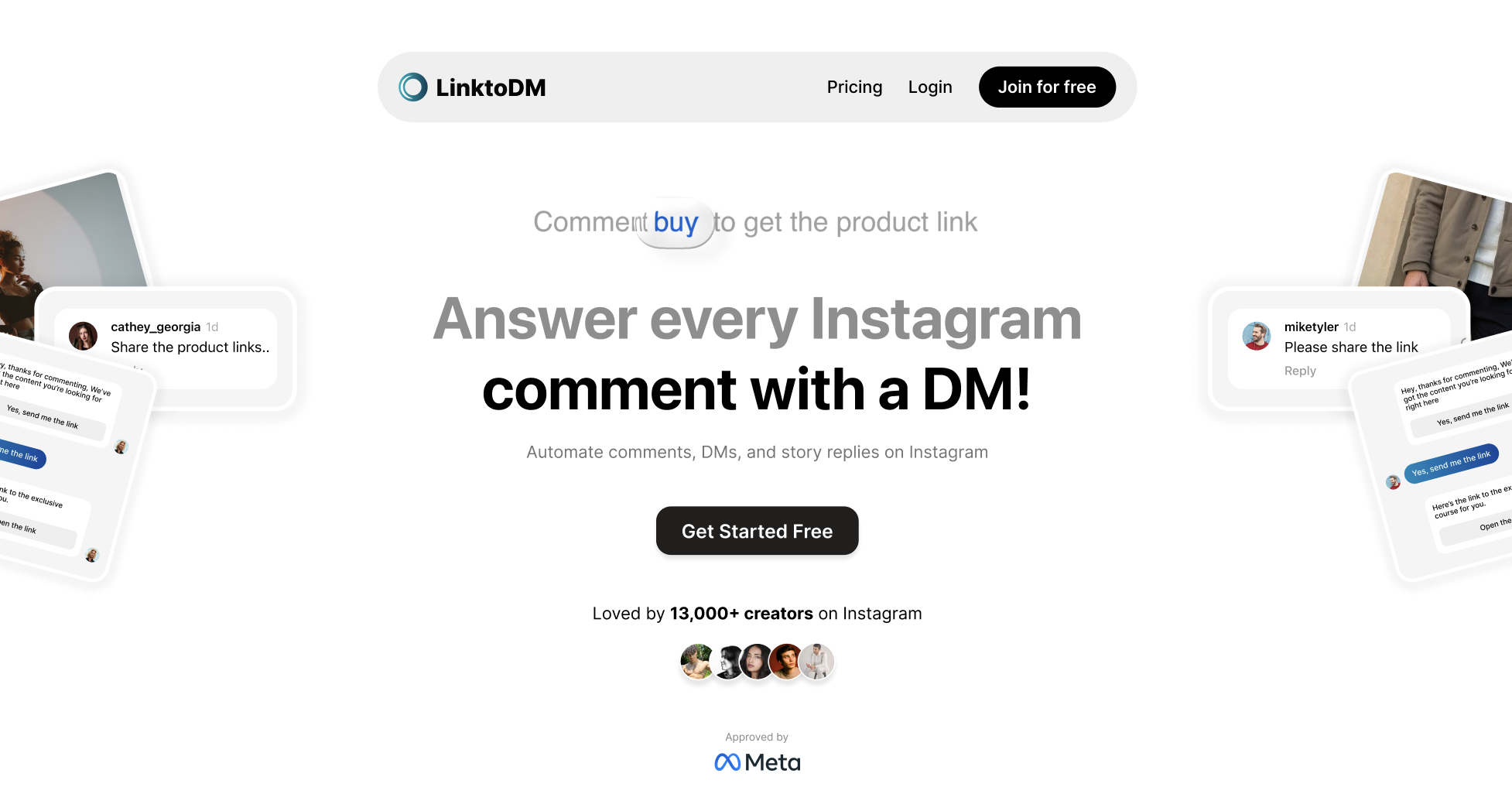
Visit the LinktoDM website and click “Join for Free”.
Note: Skip to Step 4, If you’ve already created an automation or want to backtrack an existing one.
Step 2: Connect Your Instagram Account
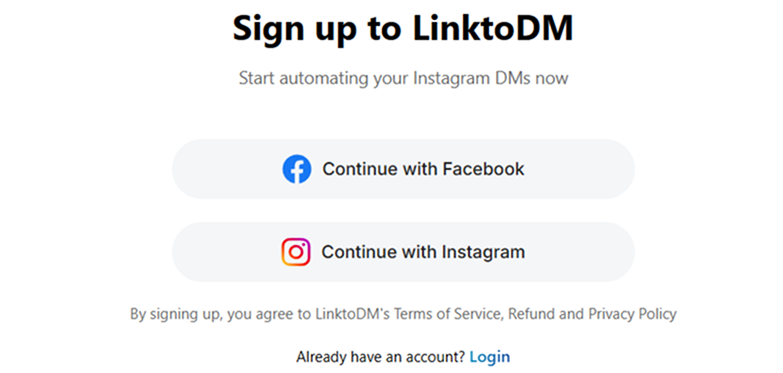
Choose an Option, login with your credentials, and grant required permissions so automation can work properly.
Make sure your account is a creator/business account before signing up.
But don’t worry - even if you have a personal account, you can change it to a creator/business account during the sign up process. For more info, click here.
Step 3: Select the Post you wish to backtrack
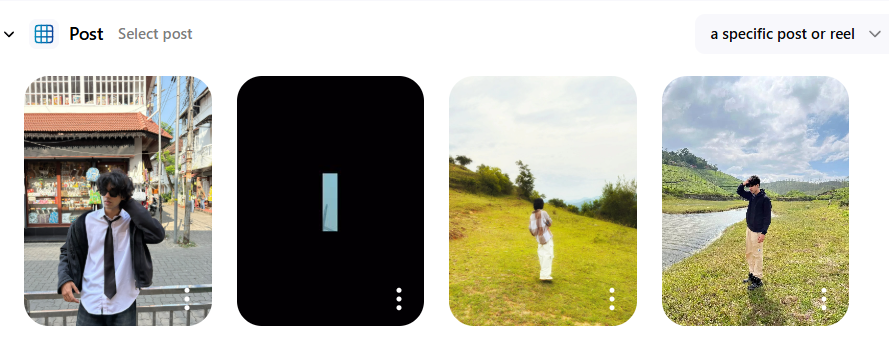
- Select the post you want to automate from your Instagram feed.
- Create a new automation by following the guided setup steps.
- Choose your trigger (comment keywords, all comments, or specific phrases).
- Customize your auto-reply message to match your tone or offer.
- Use engagement features like “Ask to Follow” to grow your audience.
- Add follow-up messages to continue the conversation automatically.
Click here to automate your post
Step 4: Enable Backtracking
-
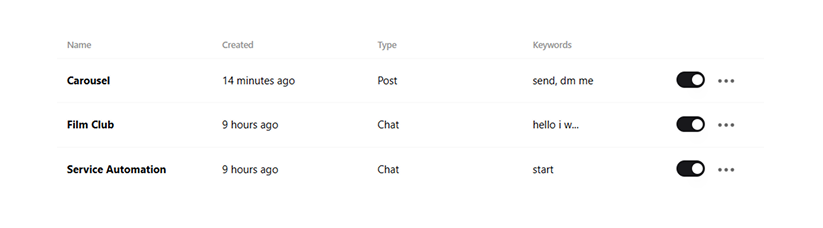
Once you click ‘Publish’ on your previous automation, head to the Automation Dashboard.
-
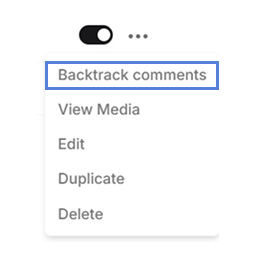
Tap the three dots on the automation you wish to manage.
-
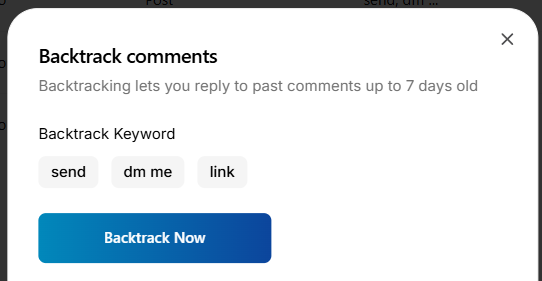
Select “Backtrack Comments”.
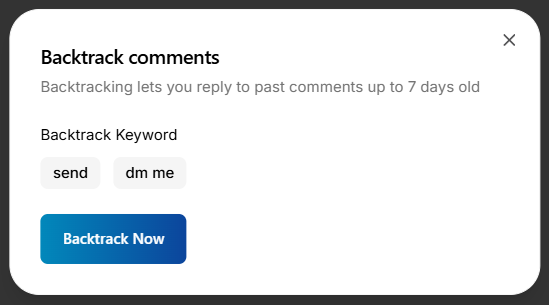
- Click “Backtrack Now”.
And that’s it — your backtracking auto-reply is now active and ready to capture old and missed Instagram comments automatically.
How to Edit Your Backtracking Keywords
When using backtracking, LinktoDM scans past comments based only on the keywords you originally set as triggers. However, as your campaign grows, you might realize that people use different words or phrases that should also activate your Auto-DMs. In such cases, you can simply edit or add new trigger keywords so the system recognizes more relevant comments during backtracking. Updating these keywords ensures your automation stays accurate, captures more interactions, and responds to a wider range of user messages. The steps below will guide you on how to quickly modify your trigger words.
-
Step 1: Head to the Automation Dashboard.
-
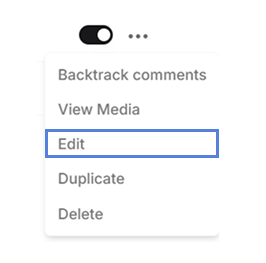
Step 2: Tap the three dots on the automation you wish to manage, and Click on ‘Edit’ option.
-
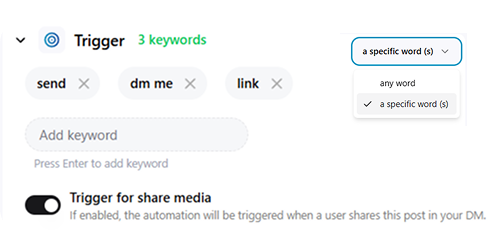
Step 3: Add more keywords from the Triggers section.
-
Step 4: Click ‘Publish’.
After adding new keywords, save changes by clicking on the ‘Publish’ button at the top right corner.
Now when you start backtracking, the newly added trigger words will appear in the keyword list.

'%3e%3cpath%20d='M14.8156%200H1.18125C0.528125%200%200%200.515625%200%201.15313V14.8438C0%2015.4813%200.528125%2016%201.18125%2016H14.8156C15.4688%2016%2016%2015.4813%2016%2014.8469V1.15313C16%200.515625%2015.4688%200%2014.8156%200ZM4.74687%2013.6344H2.37188V5.99687H4.74687V13.6344ZM3.55938%204.95625C2.79688%204.95625%202.18125%204.34062%202.18125%203.58125C2.18125%202.82188%202.79688%202.20625%203.55938%202.20625C4.31875%202.20625%204.93437%202.82188%204.93437%203.58125C4.93437%204.3375%204.31875%204.95625%203.55938%204.95625ZM13.6344%2013.6344H11.2625V9.92188C11.2625%209.0375%2011.2469%207.89687%2010.0281%207.89687C8.79375%207.89687%208.60625%208.8625%208.60625%209.85938V13.6344H6.2375V5.99687H8.5125V7.04063H8.54375C8.85938%206.44063%209.63438%205.80625%2010.7875%205.80625C13.1906%205.80625%2013.6344%207.3875%2013.6344%209.44375V13.6344Z'%20fill='%23B1B1B1'/%3e%3c/g%3e%3cdefs%3e%3cclipPath%20id='clip0_6304_15414'%3e%3crect%20width='16'%20height='16'%20fill='white'/%3e%3c/clipPath%3e%3c/defs%3e%3c/svg%3e)

